On this page
Before you start
Negative stock is bookkeeping, not a fault of its own: an order arrived for a product your administration had already counted down to zero, and the sale was subtracted anyway. So the question is not why the marketplace sold it, but where the new count stopped travelling.
The chain has three links. Your source holds the count, so your PIM in e-tailize, your webshop or your warehouse system. e-tailize picks every change up in the background, normally within a few minutes. It then pushes the count to every connection whose switch is on. Walk those links in order and the app shows you which one broke.
Steps
Open "Products" in the left sidebar. On "Product information management", read the "Stock" column of the product and note its "EAN". That is the count e-tailize holds.
Open "Listing" and click the tile of the marketplace you oversold on. Under "Product listing status" the same product shows a "Stock" and a "Stock margin". The marketplace receives the stock minus that margin, so a forgotten margin explains a difference on its own.
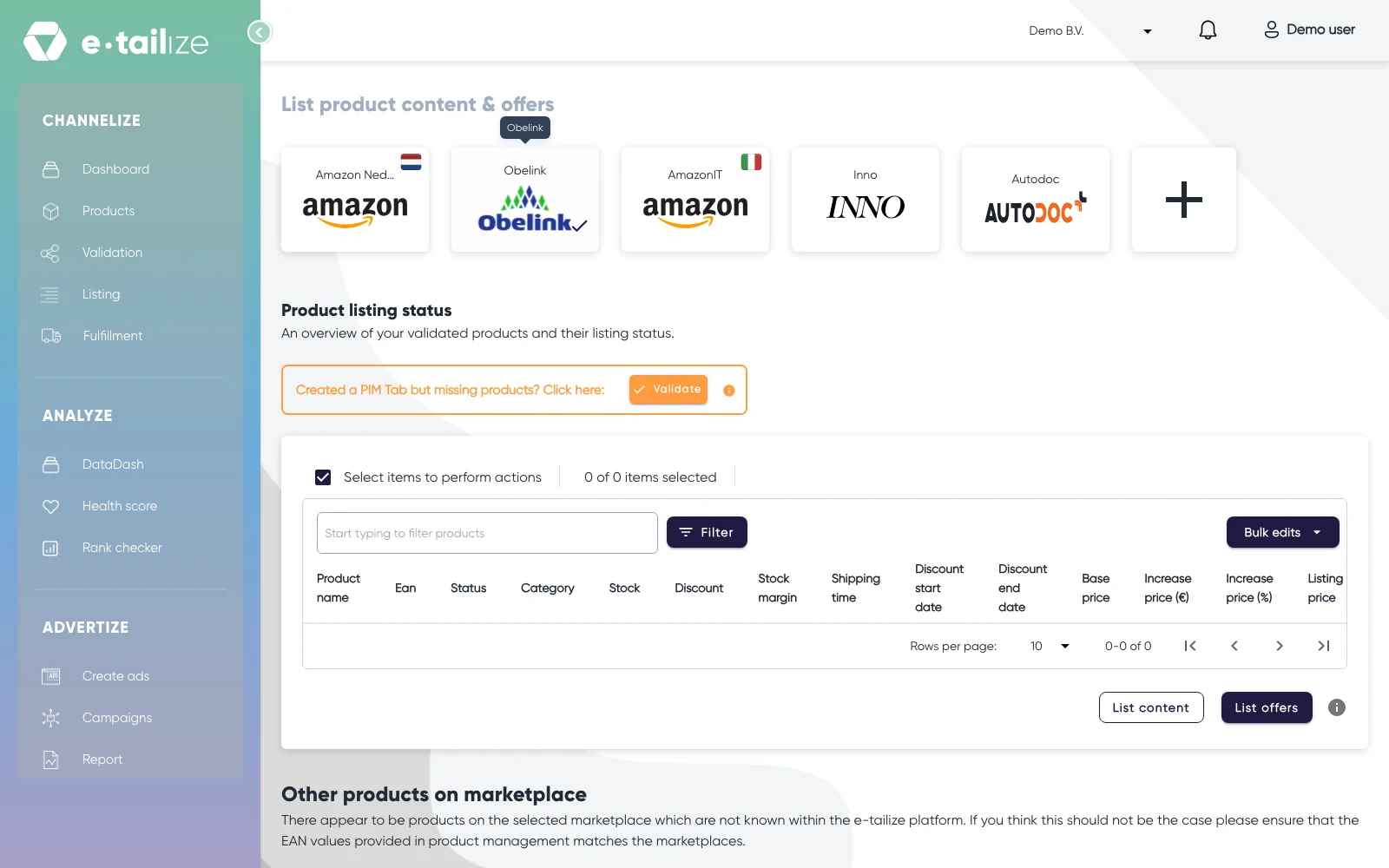
The page "List product content & offers" with the "Product listing status" table and its "Stock" and "Stock margin" columns Scroll down that page to "Other products on marketplace". An offer listed there runs on an EAN e-tailize does not know, so your counts go to a different offer than the one buyers see. Check this whenever the product was relisted under another code.
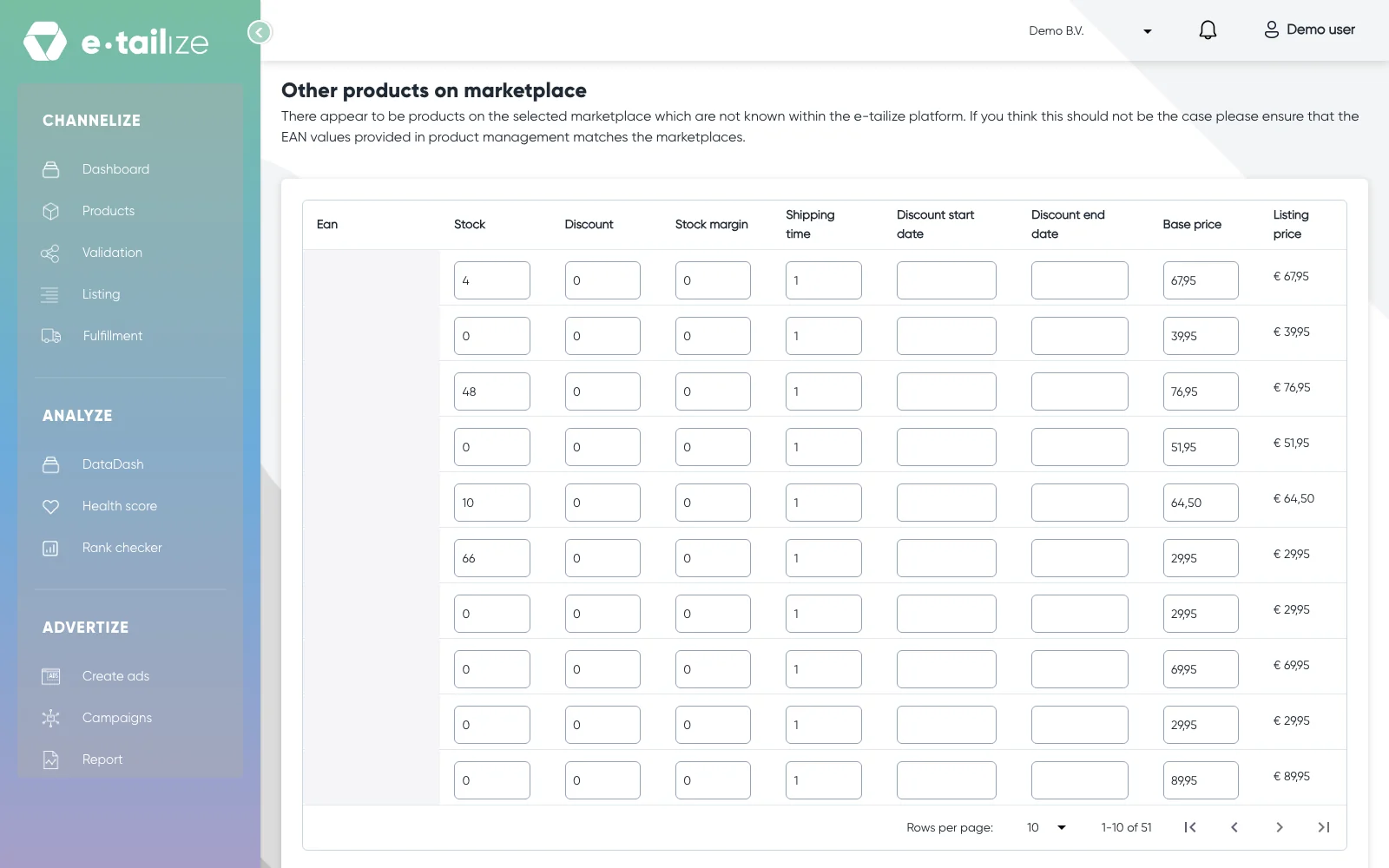
The section "Other products on marketplace", with the offers on an EAN e-tailize does not know and their "Stock" and "Stock margin" Open "Fulfillment" and click "Stock & order configuration". In the section "Stock forwarding", find the row of your source and the column of that marketplace. A cell that is off leaves the marketplace on its last known count, and so does a section you changed but never closed with "Save changes".
Look at "Use source of truth" at the top of that section. Switched on, the connections in its selector are what send stock to your other systems, and a change on a marketplace or another webshop is not applied. The switch from the PIM to the leading connection stays in the grid, so check that one too.
Open "Settings", then "Fulfillment details" and "Forwarding matrix", and pick your project in "Project". The page names the leading connection after "Source of truth:" or says "Not configured", and lists every saved route under "Stock forwarding" with its "Source", "Target" and "SetOn".
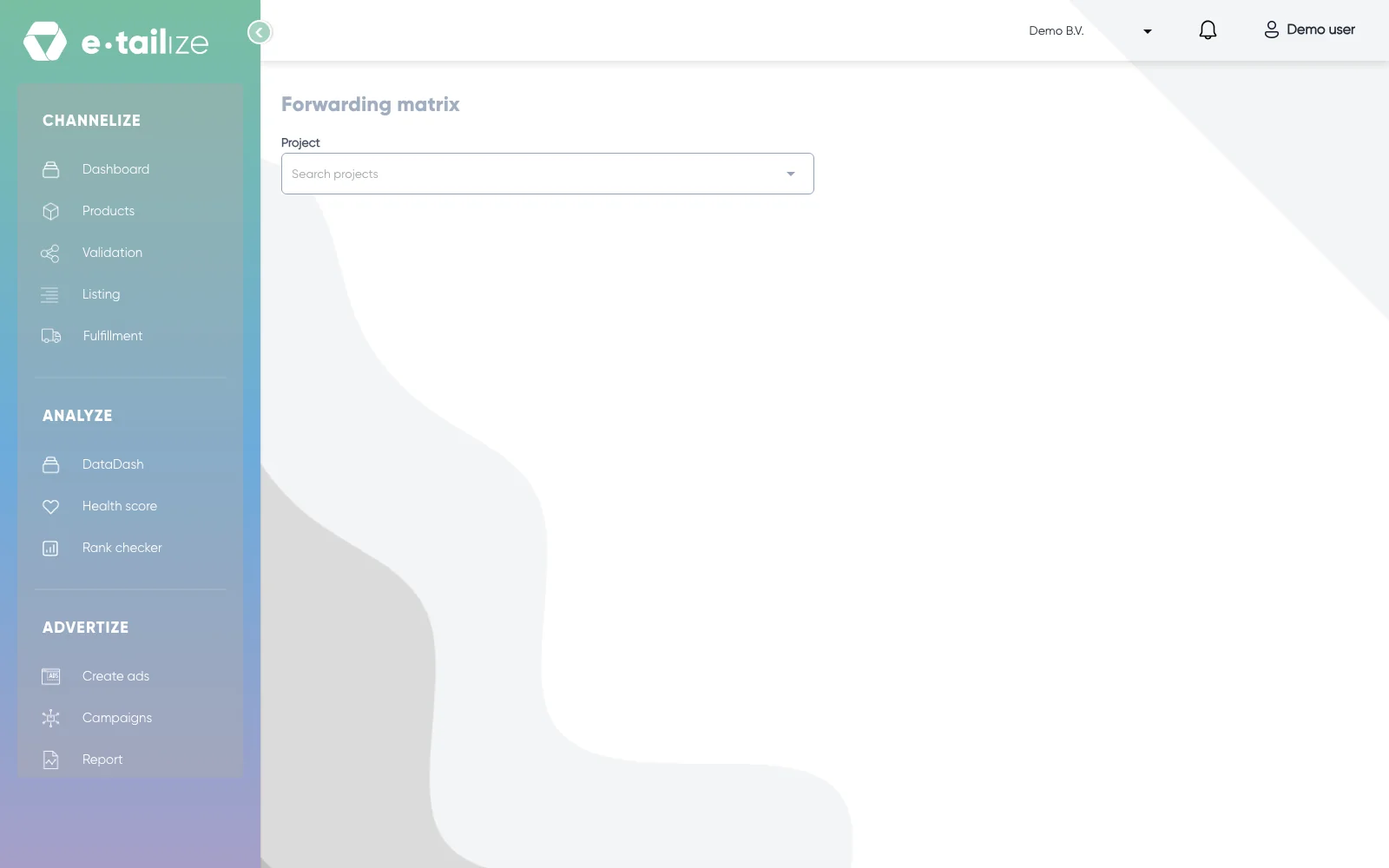
The page "Forwarding matrix" with the "Project" selector above it
What happens next
Once the broken link is repaired, the next change at your source travels on its own, normally within minutes, to every connection whose switch is on. Correct the number itself in the system that leads your stock, never in one that only receives it.
The oversold order stays an order. Whether it is cancelled or settled is the process of the marketplace itself, so handle that one in its seller environment.
Common problems
A count above 999 arrives at bol as 999. A bol connection limits the stock it pushes to a value between 0 and 999. That is a limit, not a broken sync.
A product listed through the e-tailize LVB connection ignores your warehouse. bol handles the stock and the shipping for those products, so your own count does not decide what is sellable there.
The stock field will not let you type. The app answers "The stock value of this product cannot be edited because it is based on children stocks". Adjust the children of the set instead.
Every switch is on and the count still lags for hours. Minutes of delay are normal, hours are not. Ask our support team with the EAN code, the count you expect, the count that shows and the times you saw both.
FAQ
Can I rule oversells out completely?
No. Stock moves on a background cycle, and a sale that lands between the change and the push is made before the new count arrives. A "Stock margin" per listing keeps a buffer back, which is what makes it rare.
I changed the stock in e-tailize and nothing moved.
Check "Use source of truth". With it on, the connections in its selector are what send stock to your other systems, and a change on a marketplace or another webshop is not applied. The PIM keeps one route: the switch from the PIM to the leading connection stays in the "Stock forwarding" grid, and it has to be on and saved. Otherwise change the number in the leading system.
Related
Was this useful?