On this page
Before you start
Two reporting pages under "Settings" sit next to each other. "Order overview" is the summary: one row of totals for the period you pick. "Order dashboard" is the detail: one row per order, with the marketplace it came from and the system it went to. Both live under "Settings" in the left sidebar, in the group "Fulfillment details".
Neither page is where you work on an order. Fulfilling still happens on the "Orders" page, see Read the fulfilment screen.
Steps
Click "Settings" in the left sidebar, open the group "Fulfillment details" and click "Order overview".
Set the period with the two date boxes and click "Ok". The buttons "Today", "Past 7 days", "Past 14 days", "Past 30 days" and "Current month" set the period in one click.
Read the summary row: "Total orders", "Open", "Closed" and "Processing" split your orders by status, "Total order amount" adds up their value, and "Forwarded" against "Not forwarded" shows how many reached your webshop or warehouse. "Exceptions" counts the orders that hit a problem.
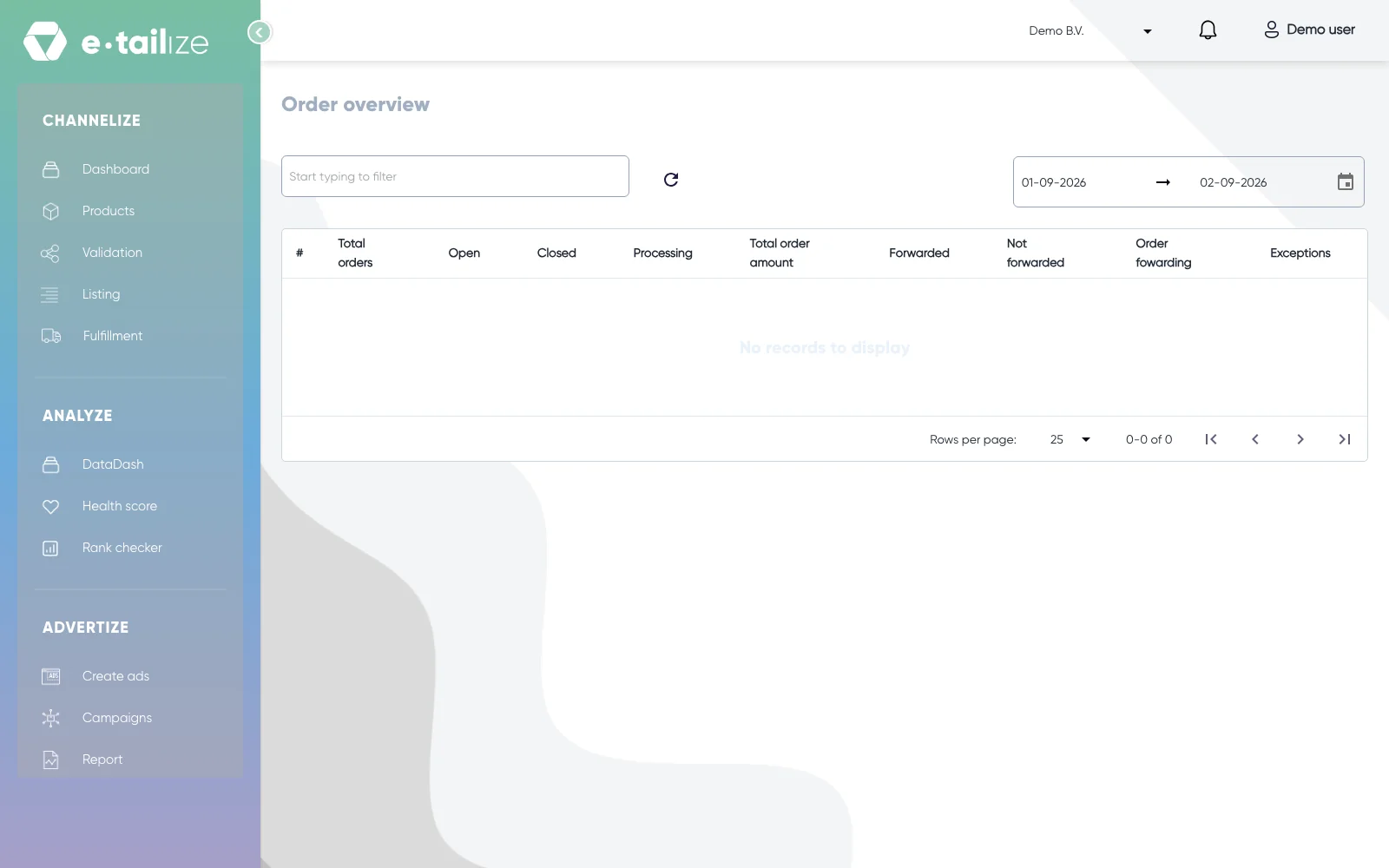
The page "Order overview" with the date range and the column headings of the summary, from "Total orders" to "Exceptions" Hover a count and click it. It is a link into the "Order dashboard", already filtered to exactly those orders in exactly that period.
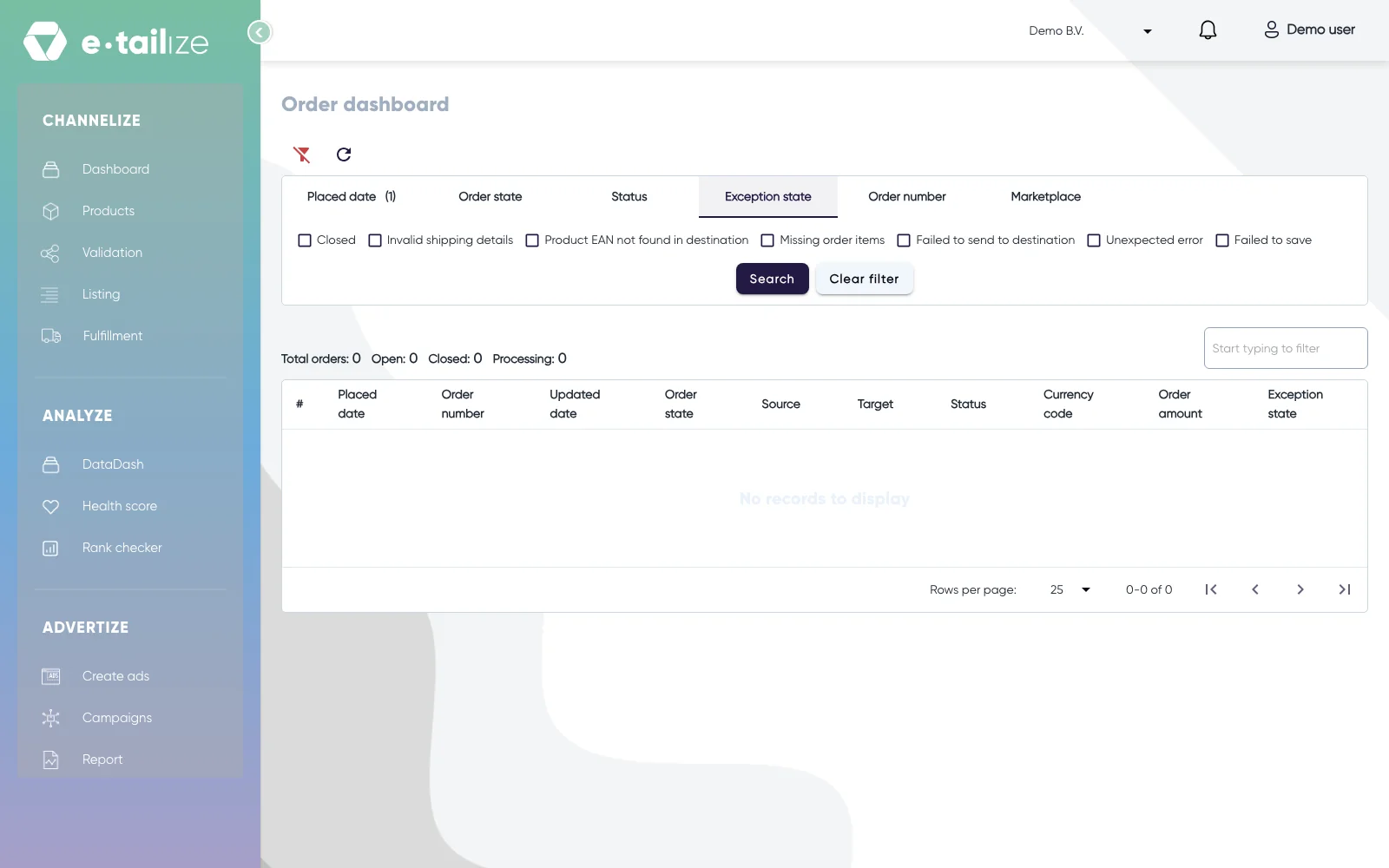
Open the tab "Marketplace" on the "Order dashboard" and tick the connections you want under "Select marketplaces" to look at one marketplace at a time.
Click "Search" to apply the filter. "Clear filter" empties it again.
Read a row. "Source" is the marketplace the order came from and "Target" the webshop or warehouse it was forwarded to, so those two together give you the route.
What happens next
The dashboard keeps five more filter tabs for a narrower question: "Placed date" for a period, "Order state" for open, closed or processing, "Status" for how far the processing got, "Exception state" for what went wrong, and "Order number", which takes several ids at once separated by a comma. A tab you applied shows a count badge, and the line above the list keeps the totals of your current selection.
Common problems
"Target" is empty on a row. That order has not been forwarded. Forwarding runs in the background, so look again after the next run. If "Target" stays empty, check the switches, see Forward orders and keep track and trace flowing.
An "Exception state" is filled in. The exception names the cause, for example a product whose EAN the destination does not know. Fix the cause and the flow continues.
FAQ
Can I see my sales per marketplace?
These two pages count orders, their value and where they went. Analysing sales and product performance is what the "Analyze" module is for.
Which page do I use for one specific order?
The "Order dashboard". Open the tab "Order number", type the order number and click "Search".
Related
Was this useful?