On this page
Before you start
Amazon asks more of a seller than most marketplaces, and it asks for it up front. You need a professional seller account, a business e-mail address or an Amazon customer account, a credit card that can be charged, a valid passport or ID for the identity check, your business registration details including a VAT number, GS1 codes for your products and a brand registration. Selling on Amazon as a private individual is not possible.
We connect the Amazon storefronts for the Netherlands, Belgium, Germany, France, Italy, Spain and Sweden. Each one is its own connection, so a second country means a second connection.
Steps
Sign up with Amazon yourself. Rather not? Expansion does it for you.
Complete the identity check at Amazon with your passport or ID.
Tell us in the app chat once your seller account is live, so we can make the connection with you.
Open "Connections" under "Settings" in the left menu, or click "New connection" on the "API connections" page.
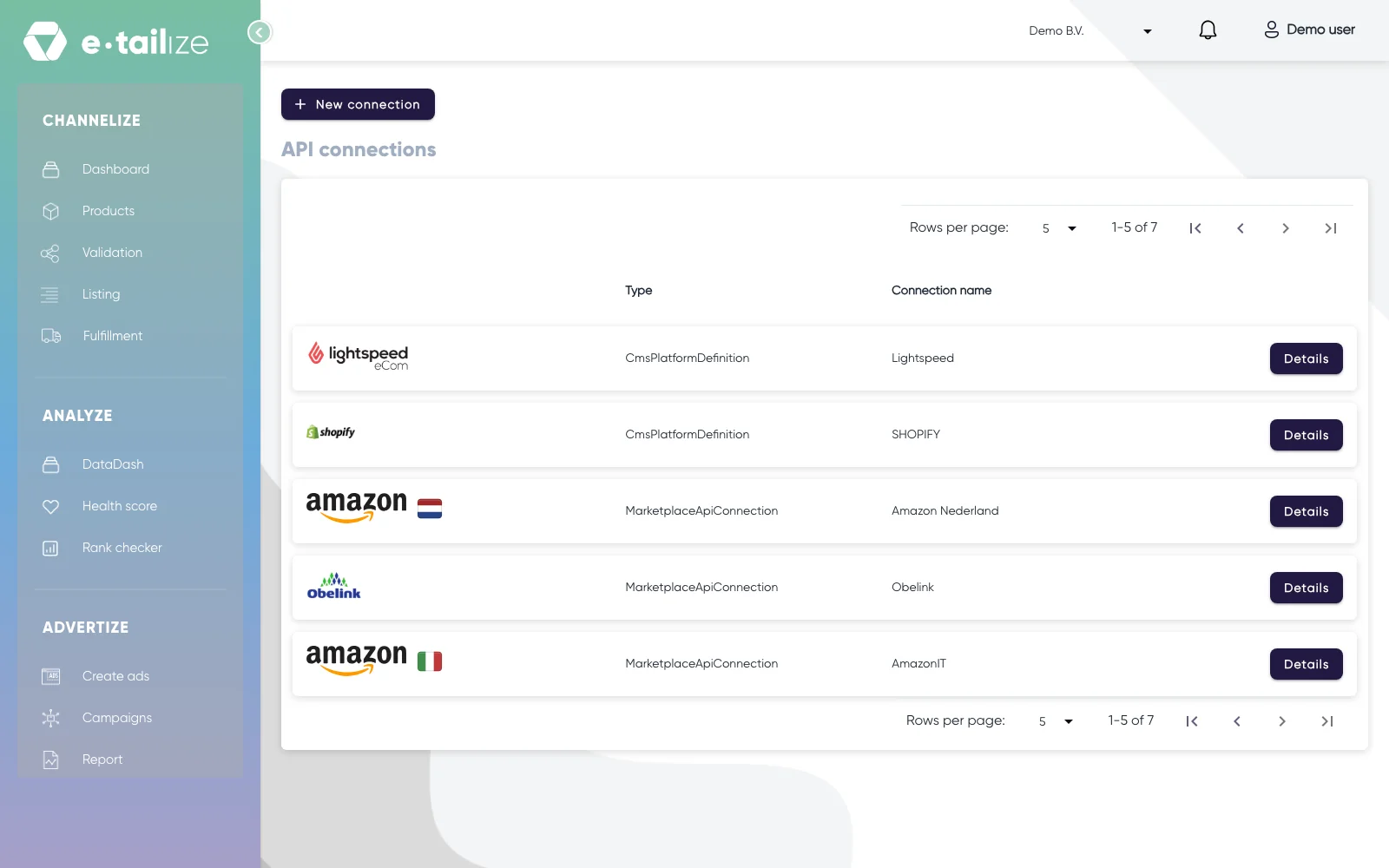
The "API connections" page, with "New connection" above the connections you already have Pick "Marketplace" in the chooser, next to "Shipping", "WMS" and "CMS", and click the Amazon logo of the country you sell in.
Fill in "Connection name", your own reference, then click the connect button and log in at Amazon. Save at the bottom right.
Fill the "Sku" field on the "Main product" tab of every product. A listing without a SKU never goes through on Amazon.
Fill in your manufacturer and responsible person details in Seller Central, in the GPSR dashboard at the top right. You do that per registered brand, or by hand if you have no brand registered.
Validate and list your products. Get a product live walks through that screen step by step.
What happens next
The decision is Amazon's. Acceptance leans heavily on your product range, your current sales and your customer satisfaction scores.
Once the connection stands, your Amazon orders come into e-tailize under "Fulfillment" and then "Orders", like your other channels.
Common problems
The connection does not go through
Open e-tailize in an incognito window, pick the right country and allow both windows that e-tailize opens: after the first one you log in at Amazon again. The connection with a marketplace will not go through covers the rest.
Amazon refuses your images
At least 85% of the photo has to be the product itself, with little or nothing else in the frame. The main image needs a pure white background (RGB 255) and at least 1000 pixels on the longest side, 1600 or more is optimal for the zoom. JPEG is preferred, TIFF and GIF are accepted.
The product has no identifier
Amazon needs a GTIN, UPC, ISBN or EAN to know which product you are offering. You request a code at GS1, or an exemption if you qualify. The SKU is something else: your own reference for your own stock.
FAQ
Can I sell on Amazon as a private individual?
No. A professional seller account with business registration details and a VAT number is the minimum.
Do I need a registered brand for GPSR?
Amazon lists brand registration among the requirements to start selling. Without a registered brand the brand field goes to "Generic", and you fill the GPSR details in by hand instead of per brand in the dashboard.
Was this useful?