On this page
Before you start
Amazon asks a lot before you sell. You need a professional seller account, your business registration details including a VAT number, a credit card that can be charged, a valid passport or ID for the identity check, EANs registered with GS1 and a brand registration. Selling as a private individual is not possible. Every country is its own connection, so selling in three countries means three connections.
Sign up yourself. Rather not? Expansion does it for you.
Amazon runs its own API, so the wizard asks for the fields of Amazon itself and instructions written for a Mirakl marketplace do not apply. You connect by logging in with your Amazon seller account, so there is no key to copy.
We connect Amazon for the Netherlands, Belgium, Germany, France, Italy, Spain and Sweden.
Steps
Amazon is connected by logging in, so there is no key to copy anywhere. Pick the same country at Amazon as the tile you started from. A mismatch is the usual reason a connection saves and then moves nothing. When the login will not complete, open e-tailize in a private or incognito window and walk through the wizard again.
Open "Settings" in the left sidebar and click "Connections".
Click "New connection", or open the marketplace wizard directly.
Pick "Marketplace" in the chooser and click the Amazon logo under "Connect marketplace provider".
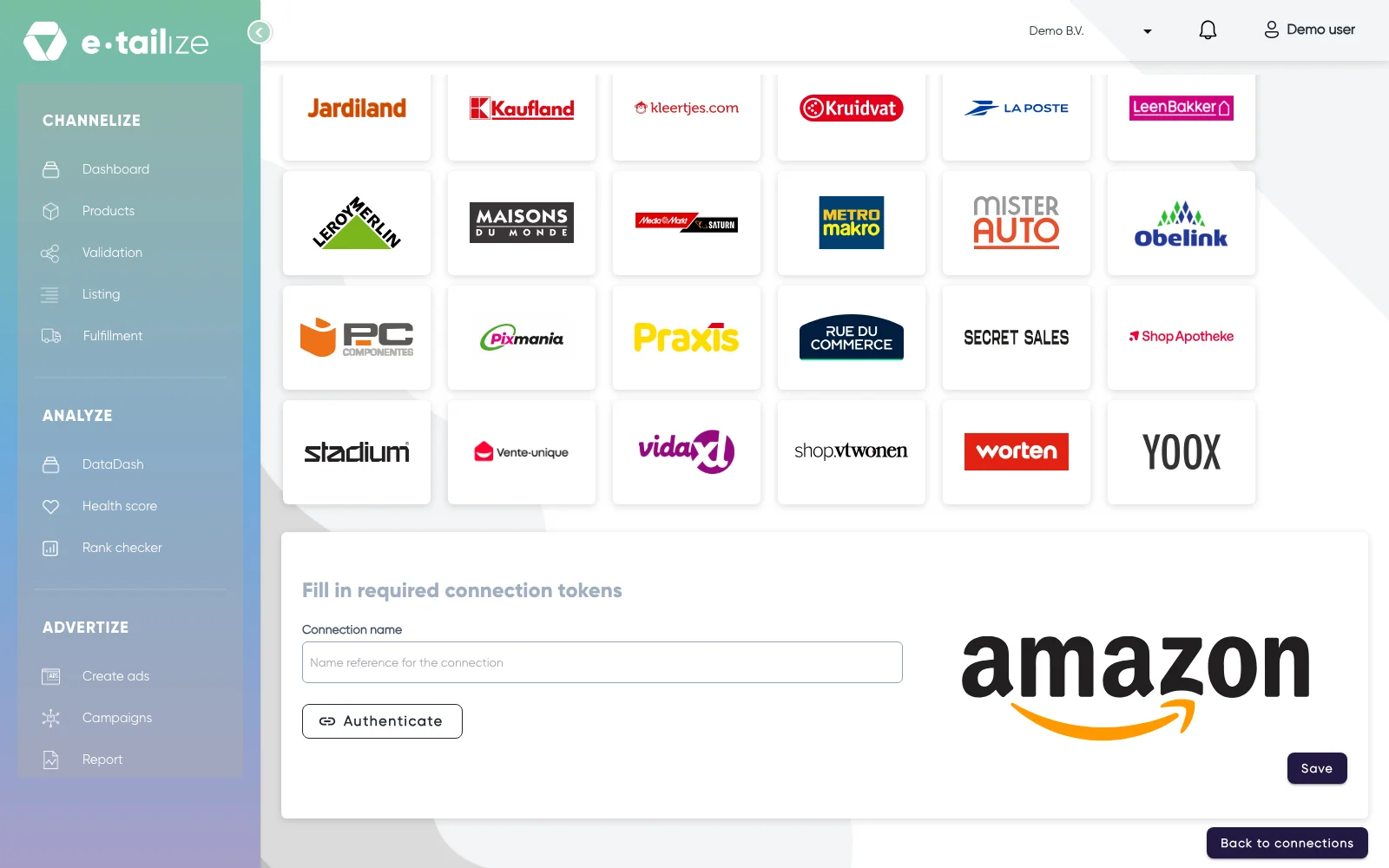
The wizard for Amazon: "Fill in required connection tokens" with the fields of Amazon Fill in "Connection name", your own reference for this connection.
Click "Authenticate". Amazon opens in a new tab, where you log in with your seller account and give e-tailize access.
Click "Save".
Click "Validation" in the left sidebar, pick the Amazon tile and click "Add missing PIM tabs" on every category you sell there.
Fill the mandatory Amazon fields on those tabs and click "Validate products". Get a product live walks through that screen step by step.
Click "Listing", pick the Amazon tile, select your validated products and click "List content". Click "List offers" once the content is through.
What happens next
A product needs a SKU on the "Main product" tab before Amazon lists it, in every country. Amazon runs a second check of its own after ours, so a product we report as sent can still land in the drafts Amazon calls concepts. It can take up to 24 hours before an accepted product is live.
The connection appears on the "API connections" page and as a card under "Existing connections" on the dashboard, and it starts feeding your dashboard, your orders and your stock. Orders from Amazon come in under "Fulfillment" and then "Orders", with the same "Open", "Processing" and "Closed" filters as your other channels.
Common problems
The usual refusals are a missing SKU, a SKU already in use at Amazon, a category that does not line up with Amazon's own, and a limit that is exceeded. At most 6 bullet points, each up to 650 characters, separated by a semicolon. The brand has to be valid in Brand Registry, or use "Generic", and EANs have to be registered with GS1.
Amazon enforces limits on content: a title is at most 200 characters, a description is at most 4000 characters and a product carries at most 9 images.
FAQ
Do you need an API key to connect Amazon?
No. You connect by logging in with your Amazon seller account, so there is no key to copy.
Which countries do we connect Amazon for?
We connect Amazon for the Netherlands, Belgium, Germany, France, Italy, Spain and Sweden.
Where do orders from Amazon arrive in e-tailize?
Orders from Amazon come in under "Fulfillment" and then "Orders", with the same "Open", "Processing" and "Closed" filters as your other channels.
Related
Was this useful?