On this page
Before you start
Amazon is connected by logging in at Amazon, so there is no API key, token or seller id to type anywhere. You need an Amazon seller account with access to the countries you sell in.
Every storefront is its own connection: Amazon BE, DE, ES, FR, IT, NL and SE each get their own tile in the wizard. Selling in three countries means three connections.
Steps
Open "Settings" in the left sidebar, click "Connections" and click "New connection" on the "API connections" page.
Pick "Marketplace" in the chooser.
Click the logo of the Amazon storefront you want, for example Amazon NL. Use the "Filter" box to find it quickly.
Fill in "Connection name" under "Fill in required connection tokens", your own reference for this country.
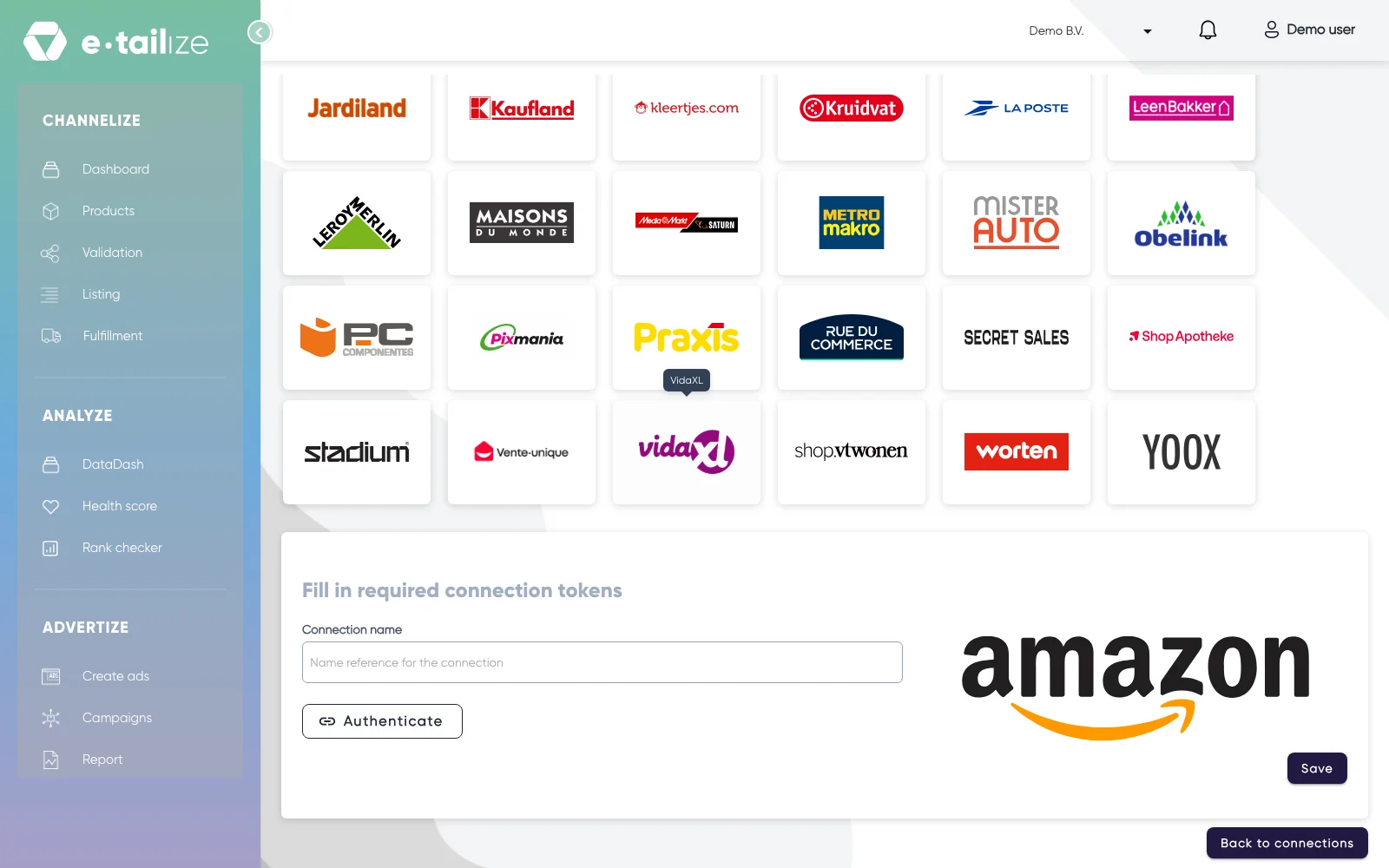
The Amazon form under "Fill in required connection tokens", with "Connection name", "Authenticate" and "Save" Click the connect button. Amazon opens in a new tab, where you log in and authorise e-tailize.
Pick the same country at Amazon as the storefront you picked in e-tailize. A connection saved with a different country moves no products, orders or stock.
Click "Save" once Amazon sends you back.
Click "New connection" again and repeat from step 2 for every other Amazon country you sell in.
What happens next
The connection appears on the "API connections" page and starts feeding your dashboard. Stock and orders start moving once you set them under "Fulfillment", on the "Stock & order configuration" page.
One thing is specific to Amazon: a product needs a SKU before it can be listed there. Fill that field on the product before you validate, or the listing has nothing to identify itself with.
Common problems
The Amazon login will not complete
Open e-tailize in a private or incognito window of your browser and walk through the wizard again. A session of another Amazon account in the same browser is the usual cause.
An Amazon connection stopped updating
Products, orders and stock of that country stop moving and the logs mention an authorisation error from Amazon. The authorisation in Seller Central was revoked or has expired. Open the "API connections" page, click "Details" on that connection and run the authorisation again, and it picks up from there.
Throttling is the other cause of a connection that goes quiet. That one is temporary, e-tailize retries by itself, so there is nothing for you to redo.
FAQ
Do I need a connection per country?
Yes. Each storefront is a separate tile and a separate connection, with its own name and its own authorisation.
Which Amazon countries can I connect?
Belgium, Germany, Spain, France, Italy, the Netherlands and Sweden. Countries outside that list are not in the wizard, so ask us in the chat before you plan a launch there.
Was this useful?