On this page
Before you start
Every connection you made lives on the "API connections" page, under "Settings" and then "Connections". The table shows the logo, the type of connection, the name you gave it and a "Details" link per row, with the usual paging underneath.
Everything on this page starts from "Details". Editing, saving again and preparing a deletion are the same two clicks.
Steps
Open "Settings" in the left sidebar and click "Connections".
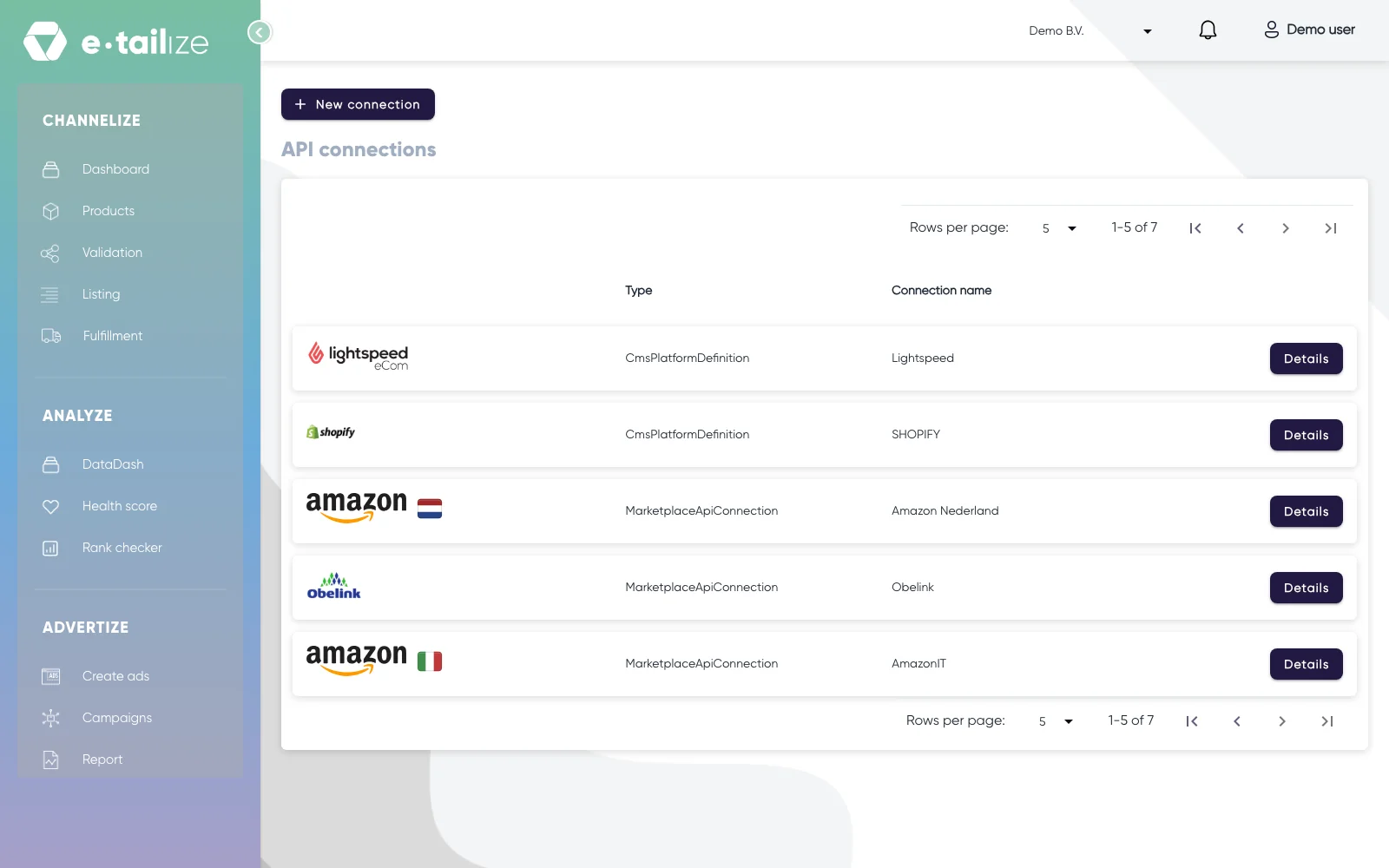
The "API connections" page, with "New connection" above the connections you already have Find the connection in the table and click "Details" on its row. On a connection to a marketplace, a shipping provider or a warehouse, the edit page opens under the familiar heading "Fill in required connection tokens". On a webshop row, "Details" opens that webshop's own connection page under the heading "Import products from your CMS" instead, which is where its "Delete connection" button sits.
On the edit page, change what needs changing: the name, a key you created again.
Click "Save", or "Cancel" to leave everything as it was.
What happens next
Saving a connection again does more than store your changes: it restarts the channel itself, so your products, orders and stock start moving again. Is one channel not moving while your others keep running? Then saving that connection again is the first thing to try.
Check the result afterwards. New orders arriving, or a listing that moves again, is the proof that the restart worked. If nothing changes, ask us in the chat.
Common problems
Your keys and tokens are not shown back to you on the "Details" page, and that is on purpose. Nobody can read a secret out of e-tailize once it is saved, so replace it with a new one from the marketplace instead of trying to check the old one.
Deleting is not something you can do yourself. On a webshop connection you do see a "Delete connection" button, but it stays disabled.
To have one removed, ask us in the chat or by e-mail with two things: which connection, and why it can go.
FAQ
Can I switch a connection off for a while instead?
There is no pause button on a connection. If a channel should stop selling for a while, ask us in the chat what to do.
Why does the type column say something like MarketplaceApiConnection?
That is the kind of connection the row holds, the same four kinds as in the chooser: a marketplace, a shipping provider, a warehouse or a webshop.
Was this useful?