On this page
Before you start
Two different things go wrong, each with its own fix.
A validation error happens inside e-tailize, before anything is sent: a field is empty, or its value is not one the marketplace accepts. You see it on the Validation page as an orange or a yellow count.
A listing error comes back from the marketplace after "List content". It always names three things: the EAN, the field and the value it refused.
Every listing error takes the same route. Look the product up by that EAN, open the field the message names, and set the value the marketplace asks for. Save, validate the product again and run "List content" again. Same message? Then find your symptom below.
Common problems
"Product does not exist"
"List content" reports no problem, but "List offers" answers that the product does not exist. That is a waiting status: the marketplace has not approved the product yet. The marketplace sets its own approval time. Wait for the approval, then run "List offers" again.
The title is too long
A listing fails on the product name, often on several products at once. Every marketplace sets its own maximum for it. Shorten the name on the marketplace tab: the counter next to the field shows the room you have, and a name over the limit is refused rather than silently cut.
Too many images
The marketplace received more images than it allows, because every image on the tab is sent along. Remove the extra ones from the marketplace tab, or point the tab's additional images field at the set you do want to send, then run "List content" again.
The SKU is missing
The product does not list and the message names the SKU. The "Sku" field on the "Main product" tab is empty. Fill it in, save the product, validate it again and list again. On Amazon a listing without a SKU never goes through.
One variant will not list while the rest do
You have the same article in several colours and all but one go through. The EAN of that one is not a valid EAN-13: its last digit, the check digit, does not add up, so the marketplace refuses the barcode. Correct the EAN and list again. Never bend the check digit until it fits, because that number may belong to another variant. Still the same error with a correct EAN? Send the EAN and the marketplace to support@e-tailize.com.
Only the main image is visible on bol
A product is live, but only the primary image shows. Only that one image was in e-tailize when the content went out, and a marketplace shows no more than it received. Import the images into the "Main product" tab, move them into the additional images field with a bulk edit, then validate and run "List content" again. The marketplace orders the extra images itself, so their order can differ from yours.
The image URL is not accepted
The marketplace calls the image link corrupt, or the image never appears. The link points at a page instead of at the file, usually a share link from a cloud drive. Use a direct public URL that opens the image itself, without a login and without a redirect. Check the resolution too: every marketplace states a minimum.
The same category has two cards
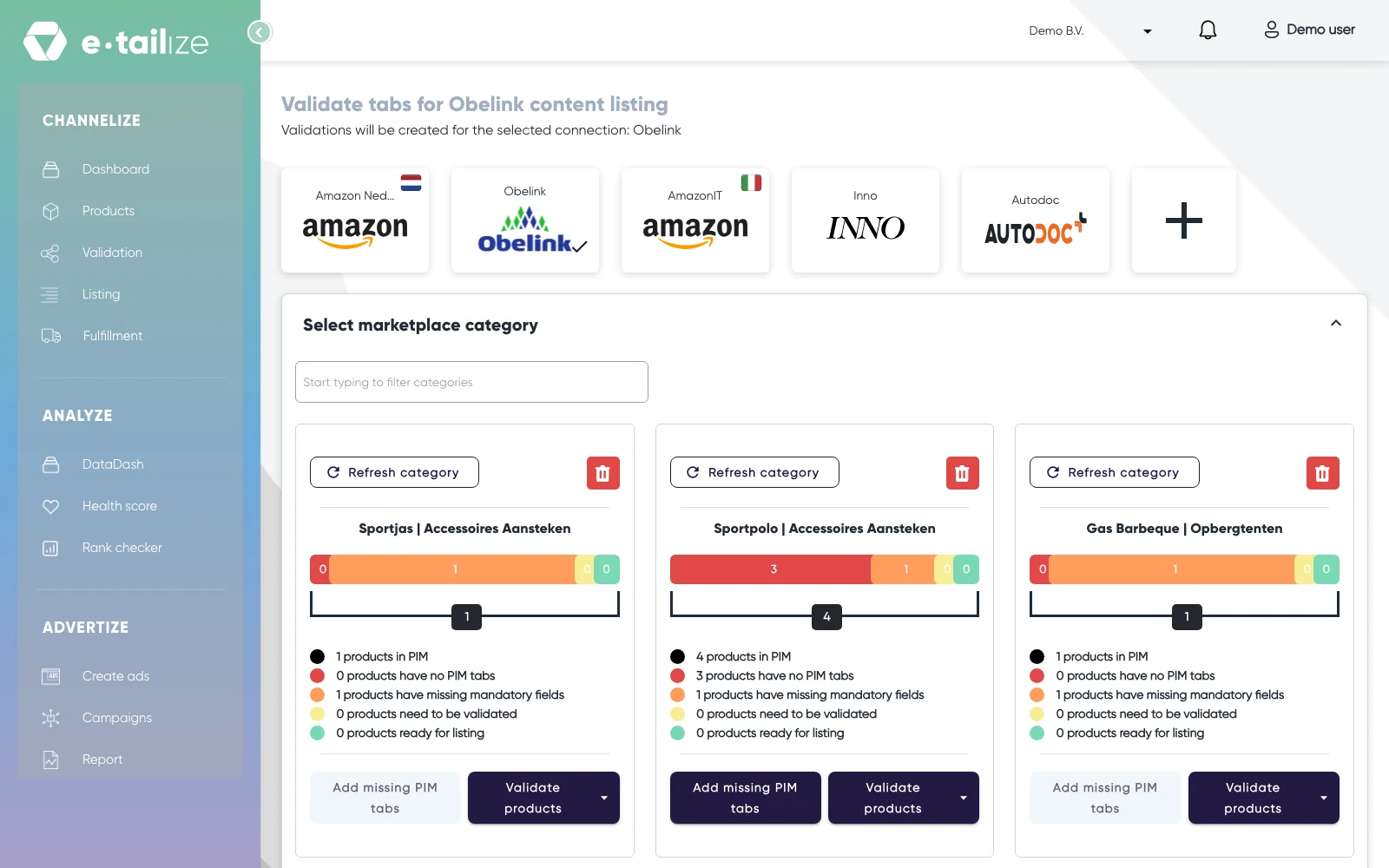
One category shows two cards, one of them partly red, and editing gives "The product version already exists for this marketplace." The products of one category were mapped to two marketplace categories, and a card only counts its own. Read the part behind the pipe in each title, that is the marketplace category, and count on your products page what sits under each. Do the two match your total? Then all your products are there, split over two cards.
"Resolve mapping fields errors"
This section appears under the cards after you run "Validate products" on a card and products are rejected. It shows the blocked products and the fields that block them. A chip says why: "Empty" for a field without a value, "Invalid type" for a value the marketplace does not accept there. Type the value in "Add the value here", use "Apply to all products" to copy it into that field on every product on the page, then click "Continue mapping".
FAQ
Is this a validation error or a listing error?
A validation error stops the product before it is sent and comes from e-tailize: a field is empty, or its value is not accepted. A listing error comes back from the marketplace after "List content" and names the EAN, the field and the value it refused.
I get an error about a field that is not on my tab
Then the marketplace changed its category definition after your tab was built. Click "Refresh category" on that category's card and wait for the sync. The new fields then stand on the tabs: fill them in, validate and list again.
Was this useful?