On this page
Before you start
A set, a bundle and a multi-pack are one product you sell, built out of other products in your catalog. "Link SKU" makes the product you sell the parent, the parts inside it its children, and records how many of each part go into one parent.
Every part has to be a product in your catalog first. The dialog searches on EAN, product name and SKU, and names every linked row by its SKU, so a part without a SKU shows an empty row.
Steps
Click "Edit" on the row of the product you sell as one item, on your products page.
Click "Link SKU" next to "SKU" on the "Main product" page.
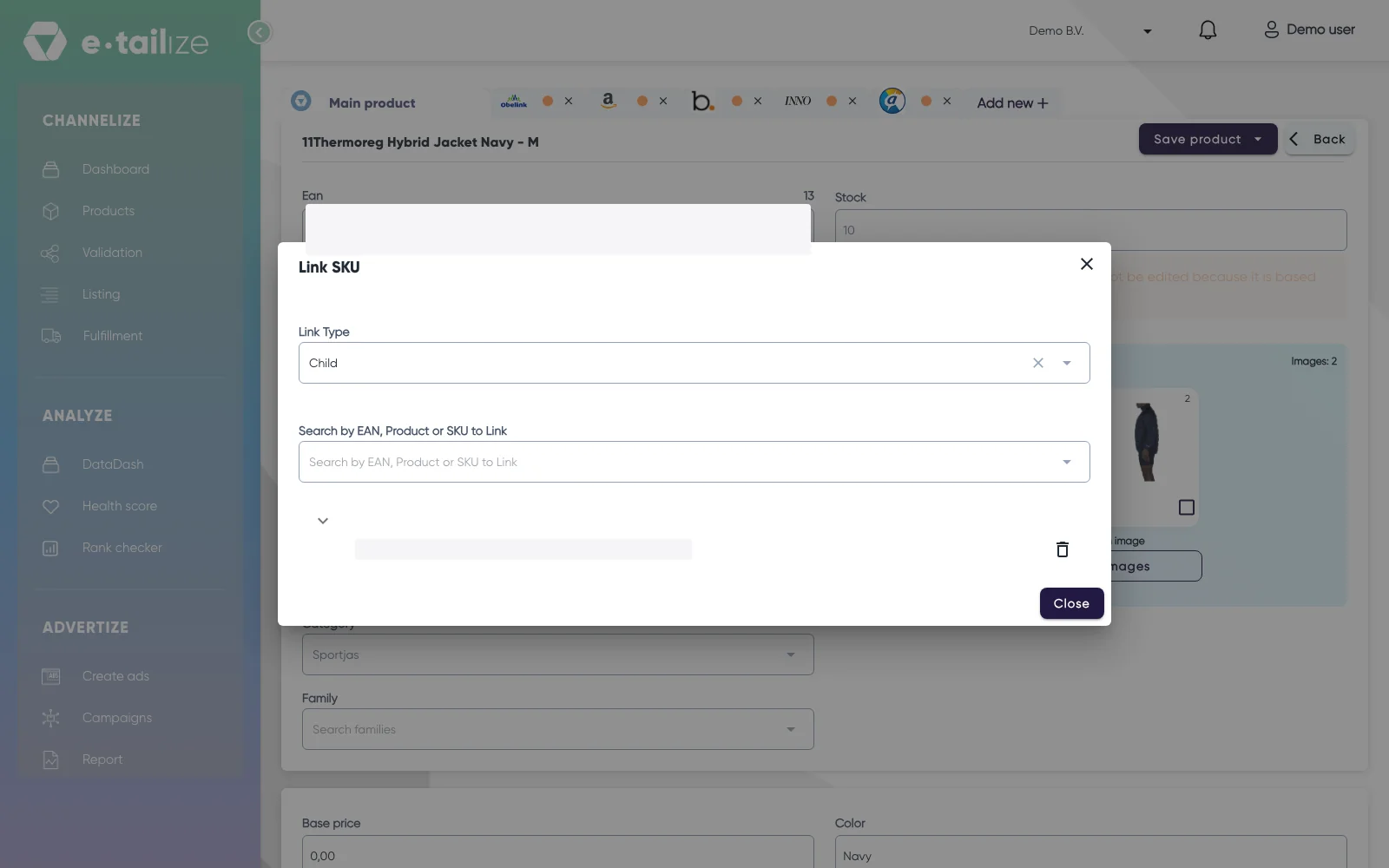
The "Link SKU" dialog with "Link Type" on "Child" and the box "Search by EAN, Product or SKU to Link" Leave "Link Type" on "Child".
Type the EAN, the name or the SKU of the first part in "Search by EAN, Product or SKU to Link" and click it in the results.
Answer "How many of this product is included in the main set?" in the "Quantity Included" dialog. It starts at 1.
Click "Save".
Repeat steps 4 to 6 for every other part of the set.
Click "Close". The dialog saves your list and reports "List successfully updated!".
What happens next
Every linked row shows that part by its SKU, with its stock and its share of a sale, for example "Current Stock: 40. Quantity Included per Sale: 2." The tooltip on that second number reads "Quantity of this product deducted per one sale". Sell one set that holds two of a part and the stock of that part drops by two.
The stock of the set itself stops being a number you keep by hand. e-tailize works it out from the parts: the number of complete sets you can still build, the lowest part stock divided by how many of that part go into one set. That number is what your products page shows and what goes out to your marketplaces.
Common problems
"Link Type" only offers "Parent". That product is already a child under another product, and the list under it stays empty.
A product is refused when you pick it. You get "has children and therefore cannot be a child to current product" when the product you have open is itself part of another set and the product you pick is part of one too.
A part sits in the list only once. A part that is already in the list is not added a second time.
A wrong quantity. Remove the link with the trash button, then link the product again with the right number.
FAQ
How do I set up a multi-pack?
The pack is the parent and the single unit is its only child. Give the link the pack size as its quantity, for example 4 for a four pack. One sale then takes four units off the stock of the single product.
Does removing a link delete anything?
No. The trash button opens the "Delete confirmation" dialog, which names the SKU and asks "Do you still want to proceed?". Click "Confirm" and only the link goes. Both products stay in your catalog with the stock they had.
Can one part sit in more than one set?
Yes. The same product can be a child under several parents. A sale of one set lowers the shared part, and the other sets that use it are recalculated too.
Related
Was this useful?