On this page
Before you start
MediaMarkt sets two hard conditions before anything else. Your headquarters have to be inside the European Union and your company has to be registered there, and every product you offer needs an EAN. A product without an EAN cannot be listed on the platform at all.
MediaMarkt charges a fixed monthly fee and a commission that differs per category. The current amounts are on their seller pages.
The main categories are Media, Electronics, TV, Appliances, Game Consoles, Household Appliances and Accessories.
Steps
Check the two conditions: your company registered inside the EU, and an EAN on every product you want to sell.
Collect your company details: company name, brand name, your first and last name, phone number, the marketplaces you sell on today, your revenue on those marketplaces and your webshop URL.
Apply to MediaMarkt yourself with those details, through their website. MediaMarkt reviews every application. Stuck? Expansion does it for you.
Tell us in the app chat as soon as MediaMarkt accepts you, so we can make the link to MediaMarkt DE with you.
Create the API key in the MediaMarkt back office once your seller account is live, and note your store id.
Open "Connections" under "Settings" in the left menu, or click "New connection" on the "API connections" page, and pick "Marketplace".
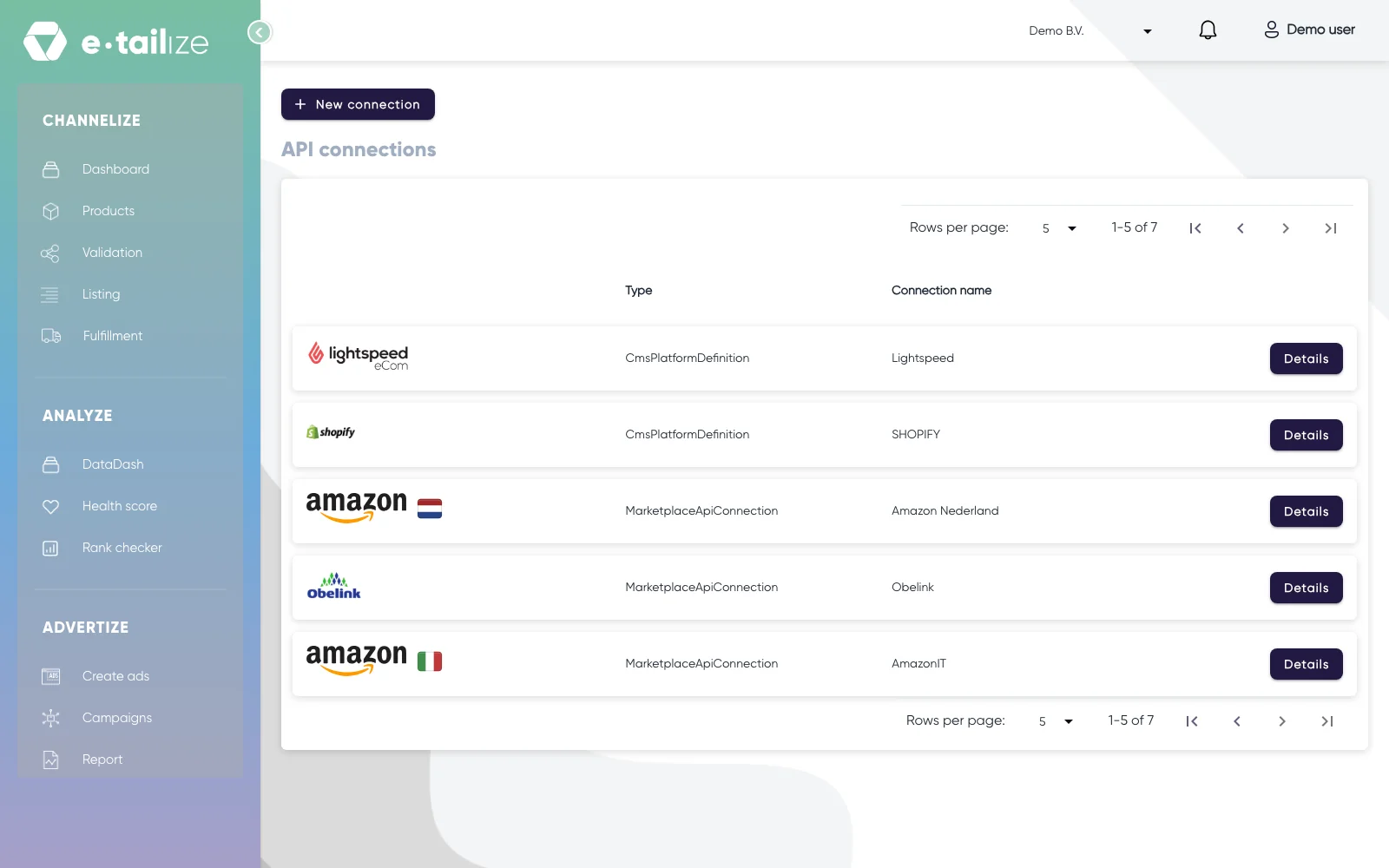
The "API connections" page, with "New connection" above the connections you already have Click the MediaMarkt logo in the grid. "Fill in required connection tokens" opens below it.
Fill in "Connection name", "API KEY", "Where do you offer your products?" with Germany and "Store Id", then click "Save".
Add the MediaMarkt tab to your categories, validate and list. Get a product live walks through that screen step by step.
What happens next
MediaMarkt decides on your application. Acceptance leans on your product range, your current sales and your customer satisfaction scores.
Your products go live on the platform only after an upload that came through without errors. The legal product information stays your responsibility as the seller, also for what you copied from a supplier.
Common problems
"Invalid response from e-tailize"
Check three things against your seller account: the API key, the "Store Id" and the country you picked. All three right and the message stays? Then ask in the app chat and name the marketplace, the exact message and the "Store Id" you used.
Products stay stuck on missing mandatory fields
The block comes from e-tailize, not from MediaMarkt: a product version that misses a required field gets the status missing mandatory fields before anything is uploaded. The required fields that are still empty are created on the version, so you fill them in place. Open the MediaMarkt tab of one of the blocked products and fill every mandatory field, the long description included, then validate again.
FAQ
Which country do I pick?
The one your seller account is for. MediaMarkt runs several country storefronts and you choose yours in "Where do you offer your products?", so a second country is a second connection.
What does MediaMarkt expect in a title?
Put only the model or product name in the title, nothing promotional. Check the current guidelines in your MediaMarkt back office.
Was this useful?