On this page
Before you start
Most retailer marketplaces we connect run on Mirakl, the software behind their seller platform. Praxis, Brico, Decathlon, Leroy Merlin, Douglas, MediaMarktSaturn, Obelink, Home24 and dozens more work this way, and they all use the same three fields, so this article covers all of them.
You need an approved seller account on that marketplace, an API key created in its own seller back office, and your store id. A few tiles work differently: bol, Amazon and Allegro are connected by logging in, Kaufland asks for a key and a secret, and METRO makro and Cdiscount (Octopia) ask for their own client credentials.
Steps
Create an API key in the seller back office of the marketplace itself and copy it in full.
Look up your store id there as well. It sits in the settings or on the main page of your seller account.
Open "Settings" in the left sidebar, click "Connections" and click "New connection" on the "API connections" page.
Pick "Marketplace" in the chooser, type the first letters of your marketplace in the "Filter" box on "Connect marketplace provider" and click its logo. The box matches from the first letter, so if the grid comes back empty, delete a few letters or scroll to the logo instead.
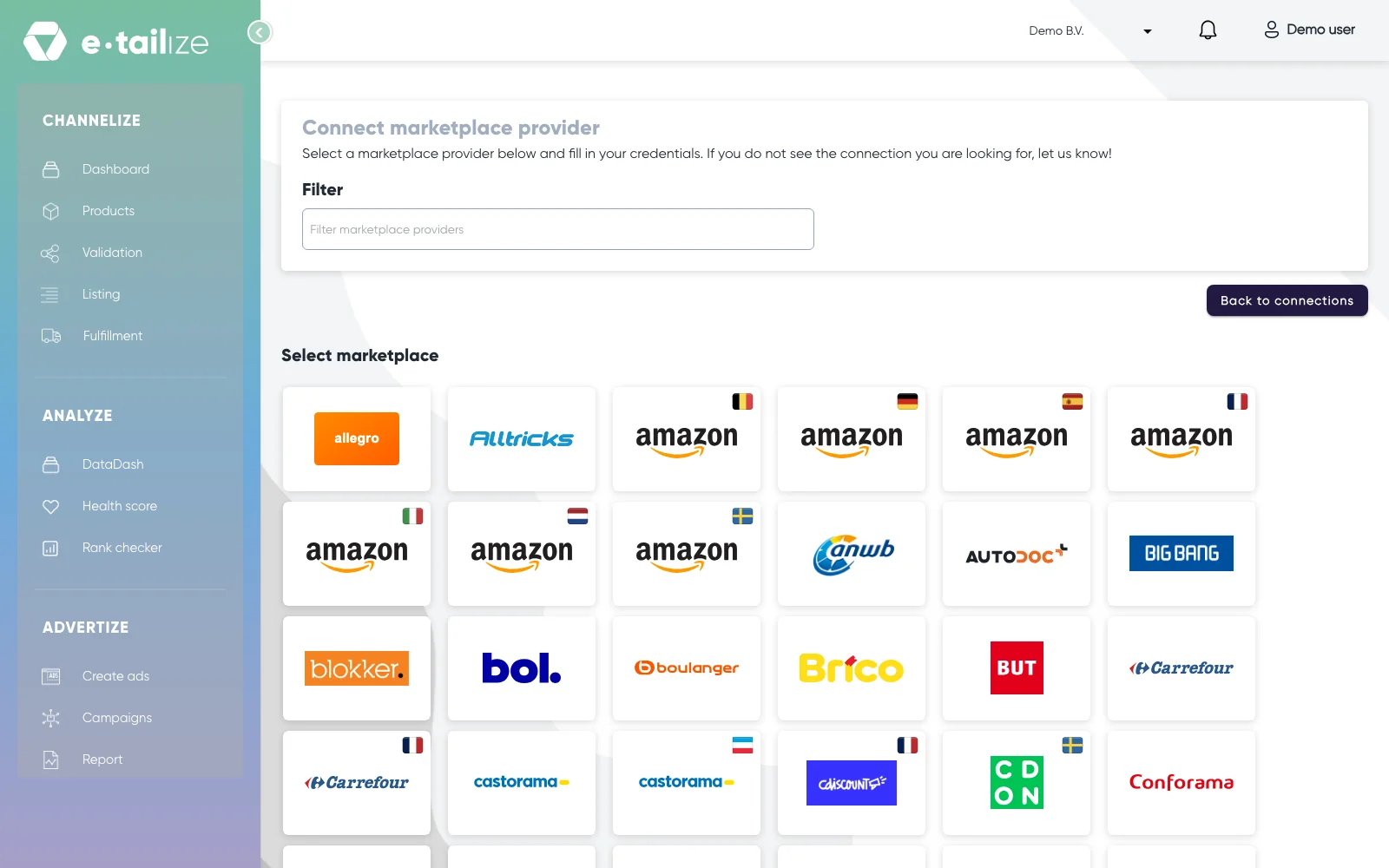
The logo grid under "Select marketplace", with the "Filter" box above it Fill in "Connection name" under "Fill in required connection tokens", your own reference for this connection.
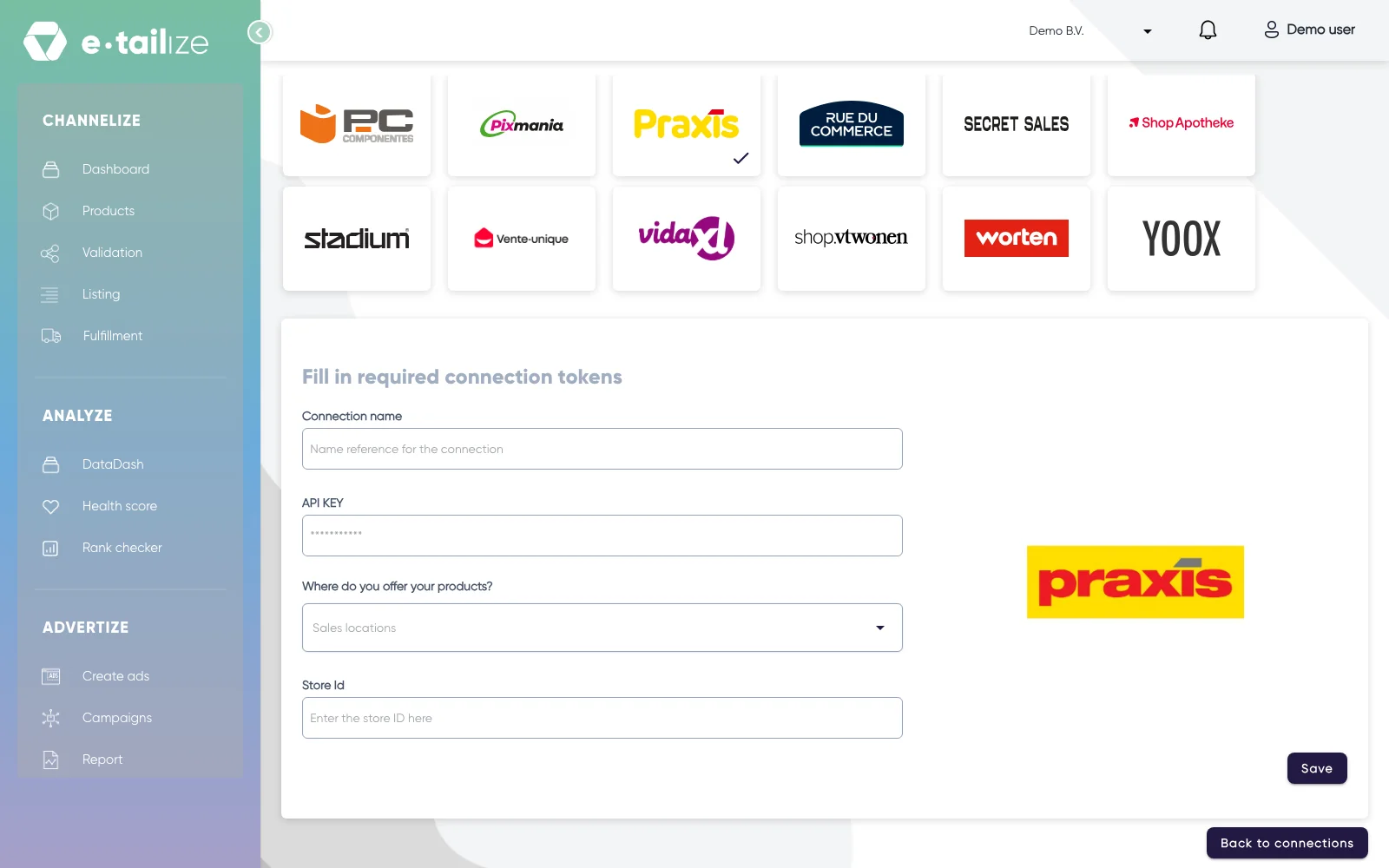
The form "Fill in required connection tokens" under the logo grid, with the Mirakl fields "Connection name", "API KEY", "Where do you offer your products?" and "Store Id" Paste your key into "API KEY". The field is masked, so you see dots instead of the key.
Pick the country you sell in under "Where do you offer your products?".
Fill in "Store Id" and click "Save".
What happens next
The connection appears on the "API connections" page and as a card under "Existing connections" on the dashboard, and it starts feeding your dashboard analytics. How stock and orders flow between your webshop, e-tailize and this marketplace is set under Fulfillment, on "Stock & order configuration".
Adding a second Mirakl marketplace is the same wizard again, with the key and the store id of that marketplace. A key from one marketplace never works on another, even though the form looks identical.
Common problems
An empty form comes back with "Connection name is required" and "Secret or Api key is a required field", and a marketplace with a country dropdown adds "Sales location is a required field".
A connect attempt that fails comes back with "Invalid response from e-tailize". Check three things: an API key that is wrong or revoked, a wrong "Store Id", and a country option that does not match your seller account. If all three are right, contact us in the chat with the connection name and we pick it up from there.
Two marketplaces have two tiles in the grid, one per country group. If you picked the wrong one, the country you need is missing from the dropdown, so go back and pick the other tile.
FAQ
Where do I find my API key and my Store Id?
Both live in the seller back office of that marketplace, not in e-tailize. We never see your key after you save it, and we never ask for it in the chat.
Is my marketplace in the list?
The "Filter" box matches from the first letters, so a fragment from the middle of a name gives an empty grid: delete a few letters or scroll to the logo. Still not there? Tell us in the chat which one you want, as the page itself says: let us know.
Was this useful?