On this page
Before you start
ePRICE is an Italian marketplace, strong in consumer electronics, home appliances and gaming. You need an approved ePRICE shop before you can connect, and that shop is closed right after registration: clear the closed from and to dates in its settings and save, so the red dot next to your shop name turns green. Every product carries an EAN of exactly 13 numbers, and a shorter UPC gets one or two zeros in front.
Sign up yourself. Rather not? Expansion does it for you.
ePRICE runs on Mirakl, the software behind most retailer marketplaces we connect, so the wizard looks the same as for every other Mirakl marketplace. You need one API key from ePRICE.
We connect ePRICE for Italy.
You find your seller account in the ePRICE seller portal.
Steps
Log in to your ePRICE shop with the credentials you got at the end of your registration, create the API key there and note your Store Id. ePRICE shares its API documentation on request, so ask its seller team when you cannot find it. The list under "Where do you offer your products?" holds Italy alone.
Open "Settings" in the left sidebar and click "Connections".
Click "New connection", or open the marketplace wizard directly.
Pick "Marketplace" in the chooser and click the ePRICE logo under "Connect marketplace provider".
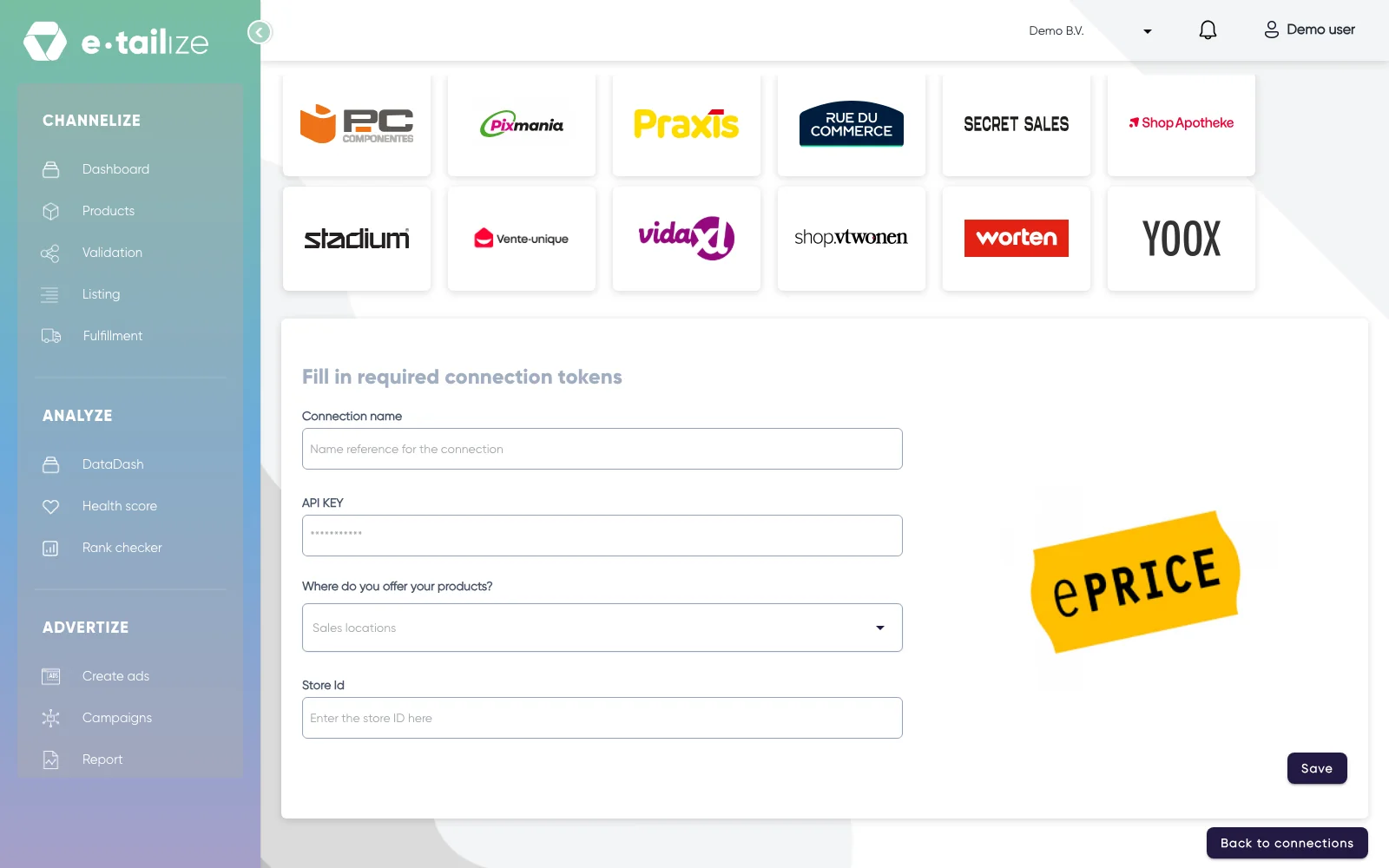
The wizard for ePRICE: "Fill in required connection tokens" with the fields of ePRICE Fill in "Connection name", your own reference for this connection.
Paste the value into "API KEY". The field is masked, so you see dots instead of what you pasted.
Pick the country you sell in under "Where do you offer your products?". The list holds "Italy".
Fill in "Store Id".
Click "Save".
Click "Validation" in the left sidebar, pick the ePRICE tile and click "Add missing PIM tabs" on every category you sell there.
Fill the mandatory ePRICE fields on those tabs and click "Validate products". Get a product live walks through that screen step by step.
Click "Listing", pick the ePRICE tile, select your validated products and click "List content". Click "List offers" once the content is through.
What happens next
ePRICE runs on Mirakl and checks your content after it arrives. Its catalog team verifies a new product within one or two working days, and until then the offer sits in the pending offers list of your ePRICE shop. An offer on a product ePRICE already carries goes online within roughly half an hour. A product still pending after two days wants a question to their team.
The connection appears on the "API connections" page and as a card under "Existing connections" on the dashboard, and it starts feeding your dashboard, your orders and your stock. Orders from ePRICE come in under "Fulfillment" and then "Orders", with the same "Open", "Processing" and "Closed" filters as your other channels.
Common problems
ePRICE refuses a description in block capitals, with HTML, or with text about warranty and discounts, an item name that carries the manufacturer, and a main image that is too small, watermarked or behind a link that does not load. Content rules for ePRICE has the full list.
ePRICE enforces limits on content: a title is at most 255 characters and a description is at most 2000 characters.
FAQ
Do you need an API key to connect ePRICE?
Yes. You need one API key from ePRICE.
Which countries do we connect ePRICE for?
We connect ePRICE for Italy.
Where do orders from ePRICE arrive in e-tailize?
Orders from ePRICE come in under "Fulfillment" and then "Orders", with the same "Open", "Processing" and "Closed" filters as your other channels.
Related
Was this useful?