On this page
Before you start
Allegro is a marketplace in Poland. You need an active Allegro seller account before you can connect. Every offer on Allegro hangs on a product in the Allegro catalogue, so make sure your products carry a valid EAN before you start.
Sign up yourself. Rather not? Expansion does it for you.
Allegro runs its own API, so the wizard asks for the fields of Allegro itself and instructions written for a Mirakl marketplace do not apply. You connect by logging in with your Allegro seller account, so there is no key to copy.
We connect Allegro for Poland, Czechia, Slovakia and Hungary.
Steps
There is no key to copy. Pick the market this connection is for, click "Authenticate" and log in with your Allegro seller account. One connection carries one market, so add a connection per country you sell on.
Open "Settings" in the left sidebar and click "Connections".
Click "New connection", or open the marketplace wizard directly.
Pick "Marketplace" in the chooser and click the Allegro logo under "Connect marketplace provider".
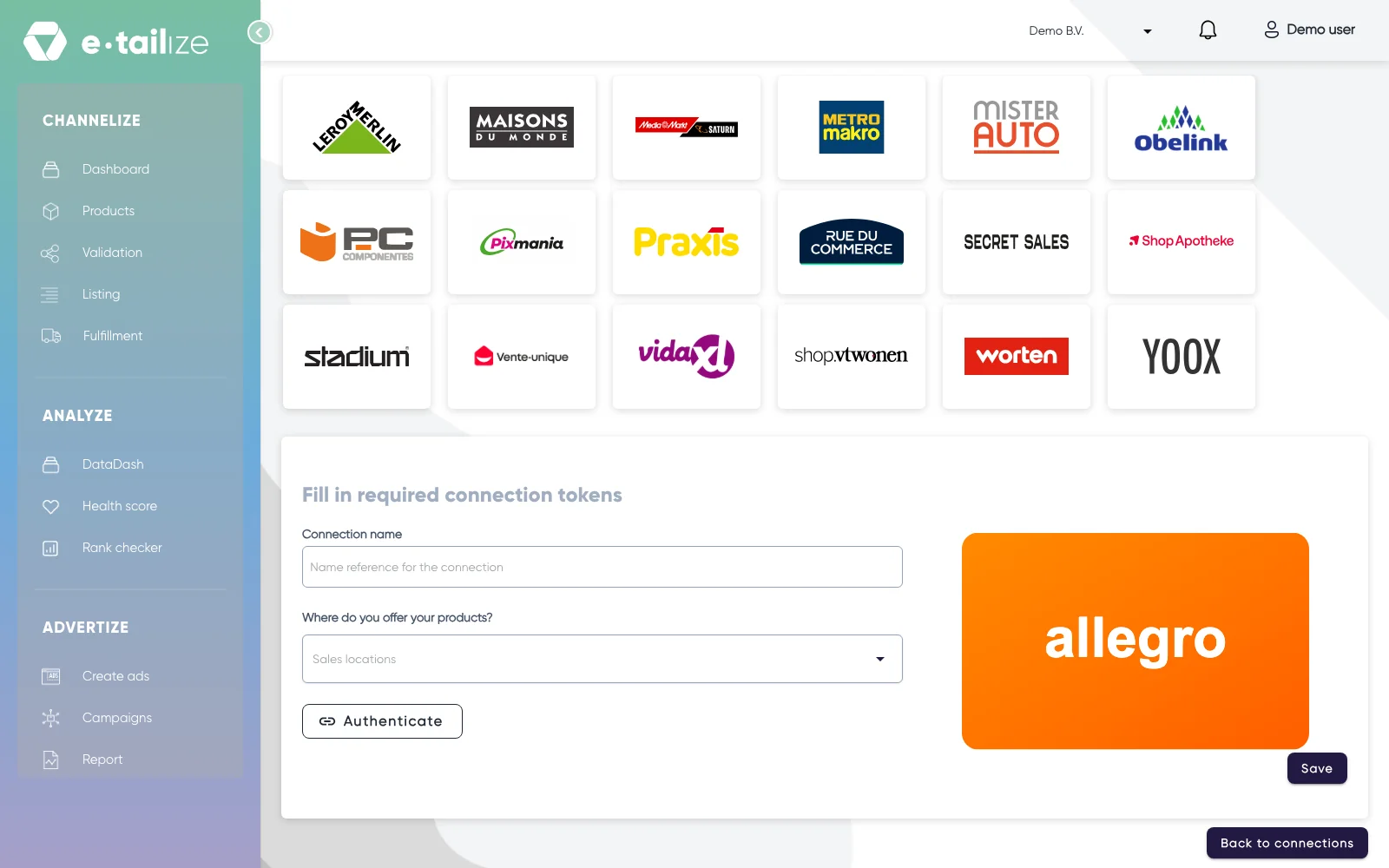
The wizard for Allegro: "Fill in required connection tokens" with the fields of Allegro Fill in "Connection name", your own reference for this connection.
Pick the country you sell in under "Where do you offer your products?". The list holds "Czech Republic", "Hungary", "Poland" and "Slovakia".
Click "Authenticate". Allegro opens in a new tab, where you log in with your seller account and give e-tailize access.
Click "Save".
Click "Validation" in the left sidebar, pick the Allegro tile and click "Add missing PIM tabs" on every category you sell there.
Fill the mandatory Allegro fields on those tabs and click "Validate products". Get a product live walks through that screen step by step.
Click "Listing", pick the Allegro tile, select your validated products and click "List content". Click "List offers" once the content is through.
What happens next
Allegro checks a new product in its catalogue before an offer can hang on it. We send the product content first and the offer after. A product that Allegro accepted but cannot find by EAN yet is pending that catalogue check, not refused. Wait until Allegro is through with it, then run "List content" again.
The connection appears on the "API connections" page and as a card under "Existing connections" on the dashboard, and it starts feeding your dashboard, your orders and your stock. Orders from Allegro come in under "Fulfillment" and then "Orders", with the same "Open", "Processing" and "Closed" filters as your other channels.
Common problems
A title over 75 characters is refused, and Allegro itself asks for 12 to 75 characters and at least three words. A missing category parameter comes back with the exact parameter that is missing. Hungarian prices must be whole HUF amounts ending in 0 or 5. Your own brand shows up in the brand field only after Allegro registered it.
Allegro enforces limits on content: a title is at most 75 characters and a product carries at most 16 images.
The main image wants a white background and no watermark, and an image made or edited with AI must carry the AI label.
FAQ
Do you need an API key to connect Allegro?
No. You connect by logging in with your Allegro seller account, so there is no key to copy.
Which countries do we connect Allegro for?
We connect Allegro for Poland, Czechia, Slovakia and Hungary.
Where do orders from Allegro arrive in e-tailize?
Orders from Allegro come in under "Fulfillment" and then "Orders", with the same "Open", "Processing" and "Closed" filters as your other channels.
Related
Was this useful?