On this page
Before you start
Allegro is connected by logging in at Allegro yourself, so there is no API key to create and nothing to paste. You need an active Allegro seller account and the login of that account. e-tailize never asks for your Allegro password.
Decide which country this connection is for. e-tailize connects Allegro for Poland, the Czech Republic, Slovakia and Hungary, and one connection carries one of those countries.
Steps
Open "Settings" in the left sidebar and click "Connections". The "API connections" page opens with everything you connected so far.
Click "New connection" and pick "Marketplace" in the chooser, next to "Shipping", "WMS" and "CMS".
Find Allegro in the logo grid on "Connect marketplace provider", with the "Filter marketplace providers" box or by scrolling, and click its logo. The form opens below the grid.
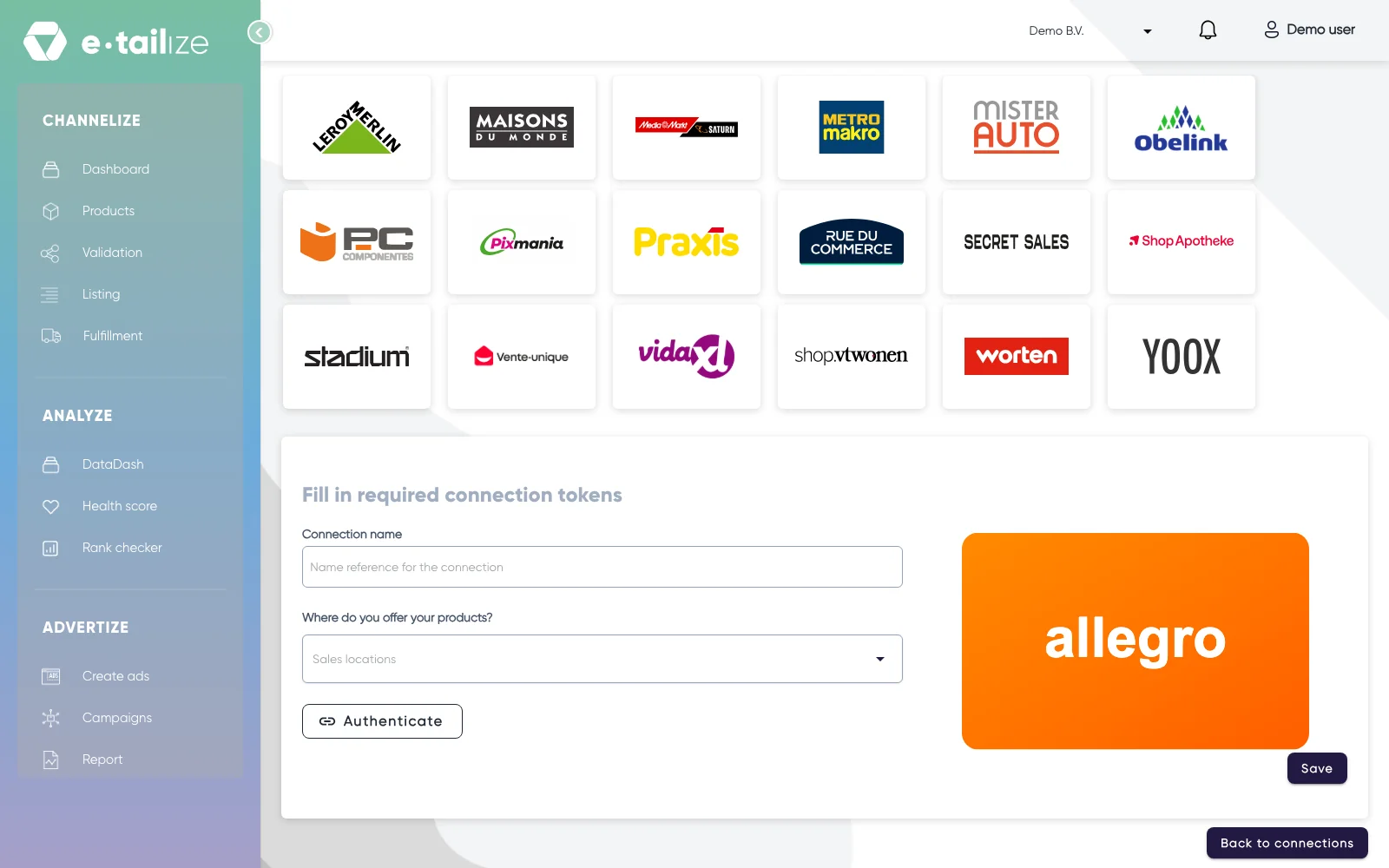
The Allegro form under "Fill in required connection tokens", with "Connection name", "Where do you offer your products?" and the button "Authenticate" Fill in "Connection name". This is your own reference, the name you see back in the list and on your connection cards.
Open "Where do you offer your products?" and pick the country of this connection: "Czech Republic", "Hungary", "Poland" or "Slovakia".
Click "Authenticate". Allegro opens its own login in a separate window, where you sign in with your seller account and give e-tailize permission.
Click "Save" once Allegro sends you back to e-tailize.
What happens next
The connection appears on the "API connections" page and as a card under "Existing connections" on the dashboard. From there your Allegro orders come in. Stock is not pushed on the connection alone: switch on the flow towards your Allegro connection in the "Stock forwarding" grid, on the page "Stock & order configuration" under "Fulfillment".
Your products still need an Allegro tab, a validation and a listing before anything is for sale. Get a product live walks through those screens, and Sell on Allegro covers what Allegro itself asks of your product data.
Common problems
Saving with empty fields gives you three messages: "Connection name is required", "Secret or Api key is a required field" and "Sales location is a required field". The middle one is the login step, so finish "Authenticate" rather than looking for a key to type.
Closing the login window before Allegro sends you back leaves the authorization unfinished. Click "Authenticate" again and let Allegro return you to e-tailize.
The country is fixed once the connection exists. On a connection that already carries a country the dropdown is greyed out, so another Allegro country is a new connection.
Listings and orders that stop while your other channels keep running usually mean the Allegro authorization expired or was withdrawn, and the log says the Allegro access token could not be retrieved. Open "Details" on the connection row, click "Authenticate" again and click "Save". Your product data is not the cause here, so changing it does not help.
FAQ
Do I need a connection per Allegro country?
Yes. "Where do you offer your products?" holds one country per connection, so Poland and the Czech Republic are two connections, each with its own login.
Where do I paste my Allegro API key?
Nowhere. The Allegro form has two fields, "Connection name" and "Where do you offer your products?", plus the "Authenticate" button. Allegro connects through your own login, so there is no key or secret to fill in and we never ask you for one in the chat.
Which Allegro countries can I connect?
"Czech Republic", "Hungary", "Poland" and "Slovakia". Those four are the whole list in "Where do you offer your products?".
Related
Was this useful?