On this page
Before you start
bol judges your content after it has received it, not before. e-tailize checks your product against the category definition it holds, but the verdict comes back from bol itself, after "List content" or "List offers". So a product that looked complete before the push can still come back refused.
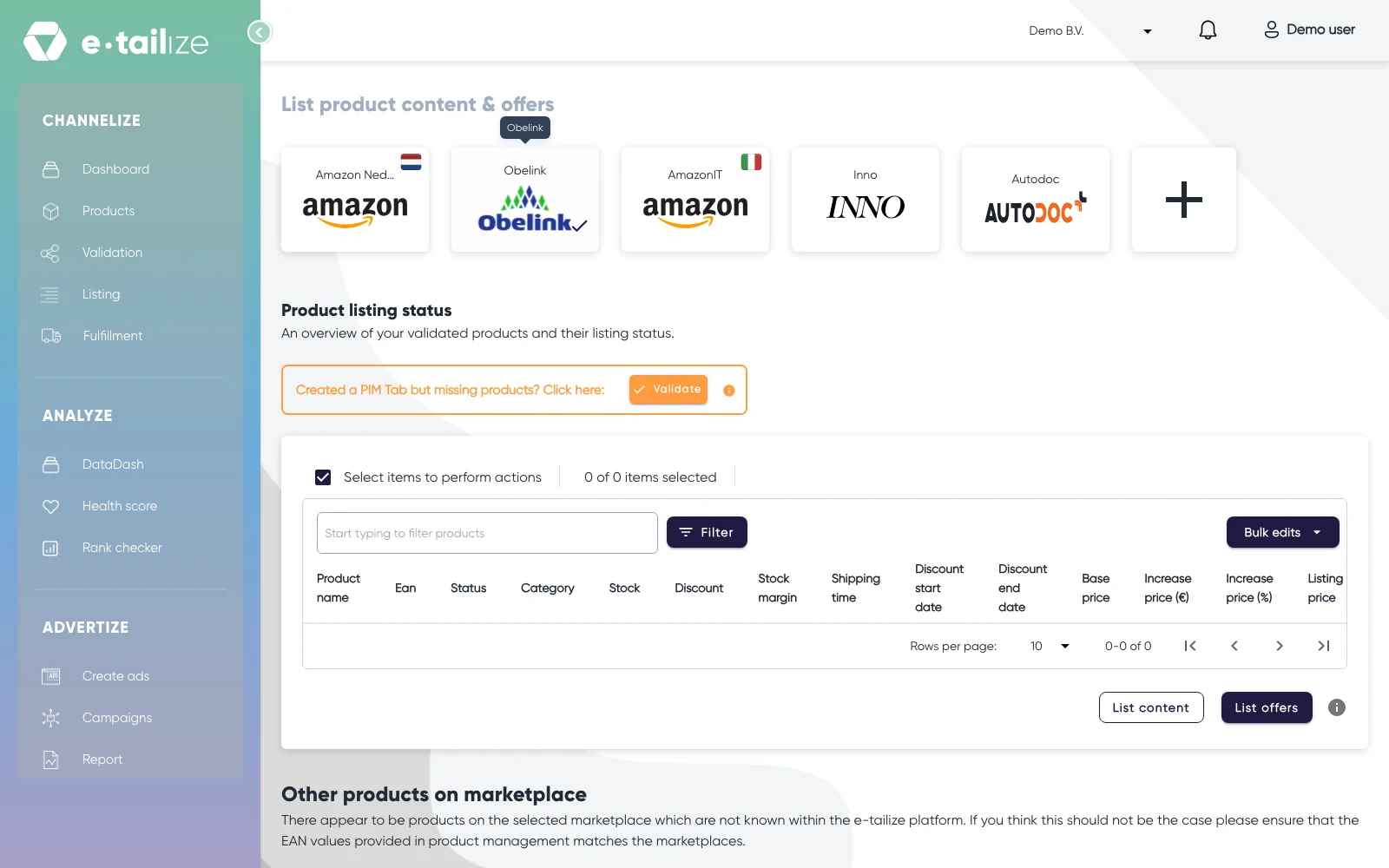
You read that answer on the Listing page: "Product listing status" holds your validated products, with "List content" and "List offers" under the grid.
Steps
- Click "Listing" in the left sidebar and pick the tile of your bol connection.
- Select your products and click "List content".
- Once the content push is done, the panel "Listing validation" comes up: click "Submit offers" there.
- Did bol refuse anything? Then "Offer response" stands above the grid: "Ean" says which product it is, "Message" is what bol sent back, "Name" and "Value" name the field and the value it received.
- Look that EAN up on your products page and open the bol tab of the product.
- Correct the field that "Name" points at, and save the product.
- Validate the product again.
- Run "List content" again, then click "Submit offers" in the "Listing validation" panel that comes up.
What happens next
A push runs in the background: e-tailize waits for bol to answer per product. Nothing is reported as listed on an answer that did not succeed. The refusals come back in "Offer response" once that push finishes, and the product keeps showing the refused field until you push again.
One case repairs itself: when bol answers that an offer for that EAN already exists, e-tailize picks up that existing offer and starts the publish again on its own.
Common problems
"Bol.com reported an error during publishing;"
The message continues with bol's own reason for refusing. That part is written by bol, so read it literally: it names the field or the rule that blocked the product.
"Bol.com reported that the product publish operation timed out, the operation did not complete. Please try again at a later time."
bol did not finish the publish. Nothing in your data has to change, so run the push again later. bol can also block a push because too many requests arrived at once, and that one is waiting too, not editing.
The message starts with "[Duplicate Offer]"
It names an existing offer, the EAN and the condition: your own bol account already carries an offer for that EAN. e-tailize resolves this one itself, so do not delete the offer at bol and do not give the product a second EAN. Does the same EAN keep coming back with it? Ask us in the chat.
The offer exists, but the article is not for sale on bol
bol keeps an offer offline while required content is missing, so the offer can be there while the article is still not for sale. bol names per EAN which attributes it misses. Fill those on the bol tab of that product, validate it, and run "List content" again.
"An unknown error occurred. Bol.com reported processStatus"
If you see this message, copy the whole line, EAN included, and ask us in the chat: we look that run up for you.
FAQ
Why do these errors only show up after I list?
Because bol makes the judgement itself. Validation tests your product against the category definition we hold, and bol judges the content once it has it.
Which fields are mandatory for my bol category?
The ones bol marks mandatory in the category you mapped to, so the list follows that category and changes when bol changes it. An error about a field that is not on your tab? Click "Refresh category" on that category's card and wait for the sync. The new fields then stand on the tabs: fill them in, validate and list again.
I get "Product does not exist" on "List offers"
That is a waiting status: the content is not in bol's catalogue yet, or not approved there yet. Fix validation and listing errors covers it.
Can I run "List offers" before "List content"?
No. Content puts the product in bol's catalogue, the offer attaches your price, stock and delivery promise to that entry.
Related
Was this useful?