On this page
Before you start
e-tailize is a paid platform, so a new account does not switch itself on. There are two ways in. Most sellers book a meeting first, through "Get started" under "Don't have an account?" on the login page, and the e-tailize team walks them through the rest. You can also fill in the registration form yourself. Either way, the account works only once the e-tailize team has approved it.
Steps
Open the registration page and fill in "First name", "Last name" and "Company name". If you see "Business name is required" under the company field, that message belongs to "Company name".
Pick a range in "Yearly revenue" and fill in "Email address".
Type a password in "Password". It needs at least 12 characters, with a lower case letter, an upper case letter, a number and one special character. The eye icon shows what you typed.
Check the country code next to "Mobile phone number". The Netherlands is preselected, so pick your own country first if you need another one, then type your number.
Tick "I agree to Terms and conditions | Privacy Policy | Data processing agreement | User agreement".
Click "Register". A message under a field means that field still needs work, so fix it and click "Register" again.
Ask the e-tailize team to approve your new account. Logging in fails until they have.
Open the login page once your account is approved, fill in "Email address" and "Password", and click "Login".
Click the card of the project you want to work in.
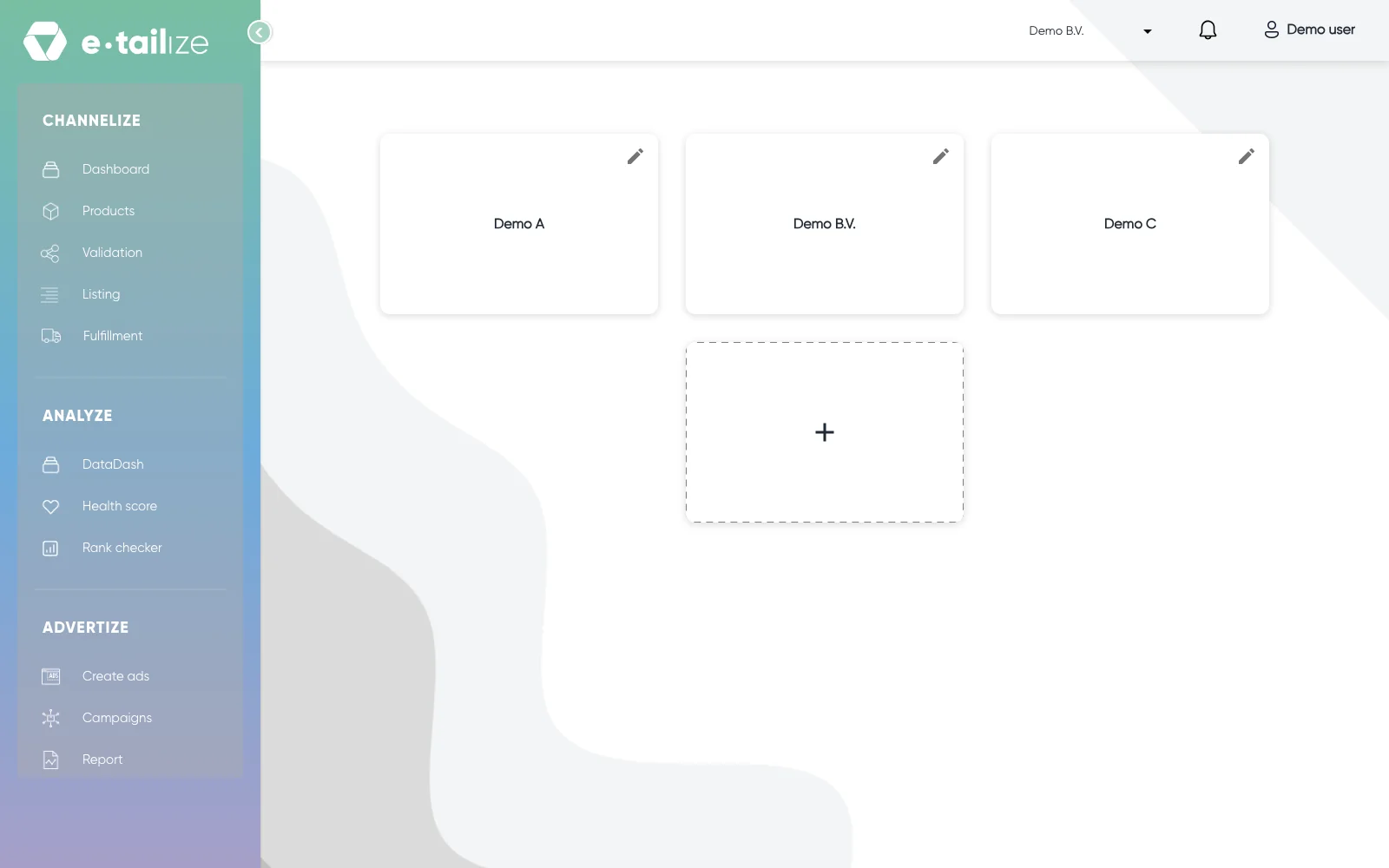
The project screen with a card per project and the "+" card that starts a new one
What happens next
You land on the project screen, one card per project in your account. Clicking a card opens that project's dashboard, and everything you see from there belongs to that one project.
The top bar carries the project switcher with the name of your current project, a notification bell and an account menu that carries your company name. It reads "Profile" until you pick a project. That menu holds a link to this help center and "Logout", which asks you to confirm in a "Logout confirmation" dialog. Navigate the top bar and left sidebar walks through the rest of the screen.
Common problems
A login that fails right after registering shows "User Not Active. Please contact the administrator.", which means your account is still waiting for approval, not that you mistyped something. "Invalid Credentials." and "Invalid Request." both mean the login did not go through: check your e-mail address and your password, and ask us in the chat if it keeps failing.
If "Login" is not clickable yet, the page is still loading. Wait a moment and it becomes clickable.
FAQ
Can I log in with Google or Microsoft?
No. There is no single sign on and no social login. You log in with your e-mail address and your password, with multi factor authentication on top if you switch it on yourself. See Reset your password.
I clicked "Get started" and got a booking page. Where is the form?
That is what the link does: "Get started" opens a page to book a meeting with the e-tailize team. The registration form is a page of its own, and the login page does not link to it.
Why can I not click "Register"?
"Register" is out of reach while the page is loading and while your registration is being sent, the same as "Login" higher up. Wait a moment and click again, then read the messages under the fields.
Was this useful?