On this page
Before you start
Translation runs while you create a marketplace tab. You answer one question in the wizard, and on the next screen you decide per field what gets translated, so a product listed in another country carries texts in that country's language.
Translation runs from the monthly AI allowance that is included in your subscription, and a run counts against that allowance. Want more than the allowance, ask us in the chat.
Steps
Open the product with "Edit" and click the "Add new" tab.
Choose "All products in this category" or "Just this product", then click the icon of the marketplace you are listing on.
Pick the marketplace category in "Search category by typing a name".
Set "Would you like to translate?" to Yes.
Answer "Would you like to enrich with AI?" with Yes or No.
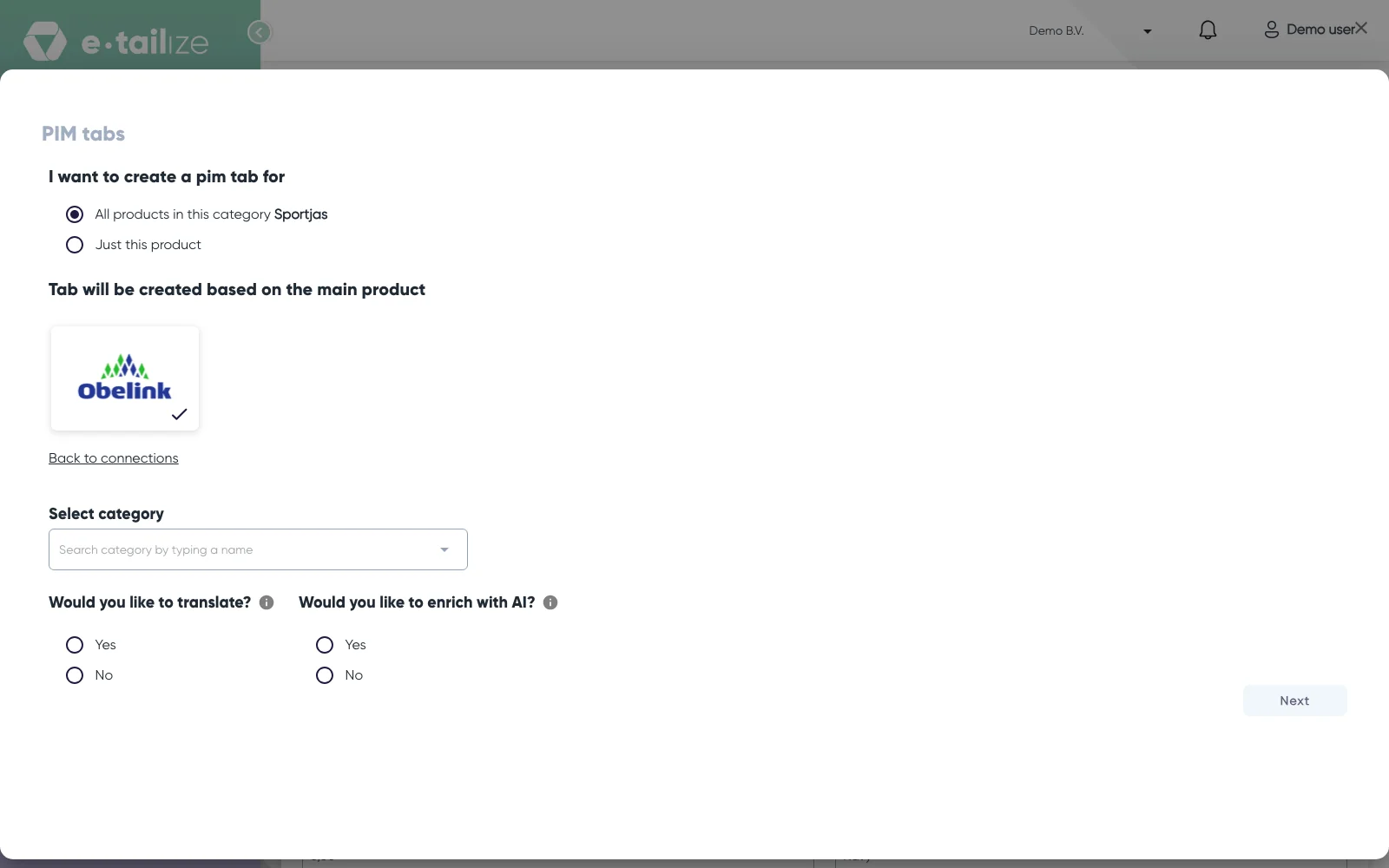
The second screen of the "PIM tabs" dialog with the chosen marketplace tile, "Select category" and the questions "Would you like to translate?" and "Would you like to enrich with AI?" with Yes and No Leave "Select Language" as it is, or clear it and pick another language. It arrives set to the language of the country your connection was made for.
Tick "I waive any error claims against e-tailize."
Click "Next". The button stays off until you have answered both questions and ticked the waiver.
Walk down the field rows and switch the translate toggle off for every field you want to keep exactly as it is. Green means the field will be translated.
Click "Create tab".
What happens next
The dialog "Hang tight! We are translating your product information for your marketplace" appears and the work runs in the background. While it runs the top bar shows "Translation is processing your {0} products." with the number still running, and when the last one is finished the app shows "Translation is completed successfully". If a batch errors, a popup titled "Alert" says we could not finish translation for some products in your last request.
Your product name and description are always translated. Every other field is translated when you left its toggle green and the field holds a value. Fields written by AI, fields that follow a reference to your own data and fields with a fixed list of marketplace values are left alone.
Read the result before you list. The text is machine made, and the waiver you ticked is exactly about that.
Common problems
A field is still in the old language. The translation of that one field did not succeed, so the field keeps the value it had. Type the translation on the tab yourself, or delete the tab and create it again.
A field is unchanged on purpose. Text without letters, such as a code, a number or a link, is returned as it is. Links inside a translated text are protected too, so they survive intact.
Everything is in the wrong language. The language follows the country of your connection. Check "Select Language" before you click "Next", and create the tab again if it was set wrong.
FAQ
Can I translate a tab that already exists?
Not as a whole. Translation happens while the tab is created. The buttons on a tab you already have are "Generate with AI" and "Optimize with AI", and those write a new value instead of translating one, see AI enrichment and translation. To translate, edit the field yourself, or delete the tab and create it again with translation on.
Which fields end up in which language?
Only the marketplace tab is translated. The "Main product" tab keeps your own language, so one product can carry a Dutch source text and German, French and Italian tabs next to it.
Was this useful?