On this page
Before you start
Your category is your own grouping, not the marketplace's. It decides which products a marketplace tab is built for and which products a bulk edit rule can reach, so it is worth getting right before you create tabs.
Steps
- Click "Products" and then "Edit" on the row of the product you want to change.
- Go to the "Category" field on the "Main product" tab.
- Click the "x" to clear the category that is there now.
- Click the empty field and pick the category you want, or, if it does not exist yet, type its name and pick the "+ Add" entry at the top of the list, which repeats what you typed and creates the category.
- Click "Save product" and choose "Save & continue" or "Save & close". A tab you create afterwards is built on this category.
What happens next
The new category shows in the "Category" column of your products page, and the product moves along with it in the "Category" filter and in every bulk edit rule that uses it. A product without a category leaves that column empty, and the "Blank" option in the "Category" filter pulls exactly those together.
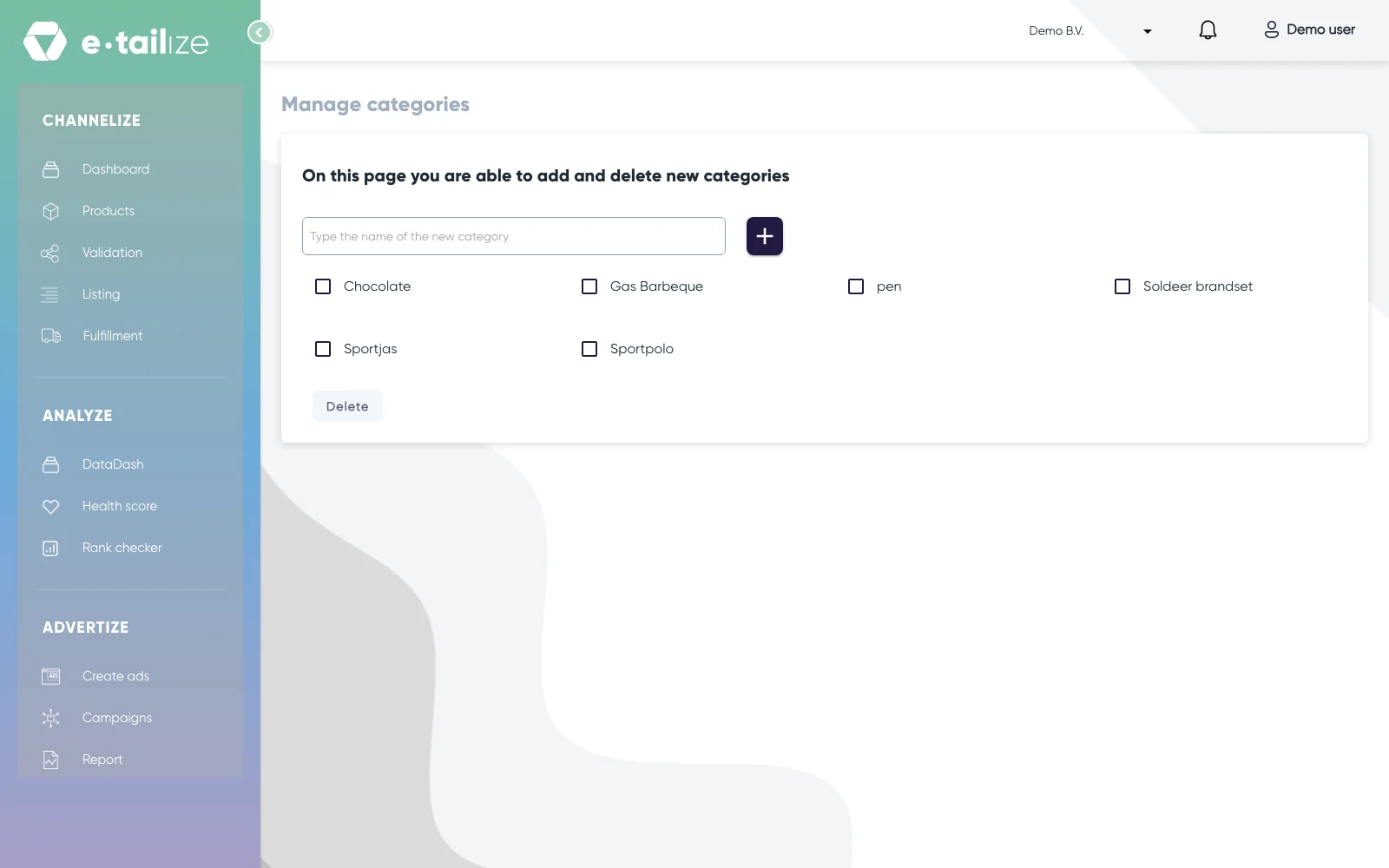
Use "Manage categories" above the table to work on the list itself. The page says "On this page you are able to add and delete new categories": type into "Type the name of the new category" and click the add button, or tick a category and delete it.
Common problems
"Category not set for selected product." You tried to create a marketplace tab for a product that has no category. Set one on the "Main product" tab and save.
"Selected category has not been saved. Please save the main product with the selected category and then try again." The category is picked but not saved. Click "Save product", choose "Save & continue" or "Save & close", and create the tab after that.
A category will not delete. Products are still mapped to it, and the page tells you so. Move those products to another category first, then delete the empty one.
FAQ
Do my categories have to match the marketplace's categories?
No. Yours is a grouping of your own. When you create a marketplace tab you pick the marketplace's own category separately, from its own tree, and the two live next to each other.
I need another marketplace category for a product, what now?
Delete that marketplace tab and create a new one under the right category. Deleting a tab cannot be undone: that marketplace version is removed from e-tailize and we stop managing that listing.
Was this useful?