On this page
Before you start
Vente-unique sells furniture and home products in several European countries and picks the merchants beside its own range, so you cannot enrol yourself. Apply and wait for their decision. They look for furniture professionals who run their own delivery, service and after sales. Declare VAT in your own country, and register for the French eco contribution if you sell there. An approved merchant gets a back office with the API key and the Store Id.
Apply yourself, they review. Stuck? Expansion does it for you.
Vente-unique runs on Mirakl, the software behind most retailer marketplaces we connect, so the wizard looks the same as for every other Mirakl marketplace. You need one API key from Vente-unique.
We connect Vente-unique for France, Italy, Spain, Belgium, the Netherlands, Germany, Portugal, Poland and Switzerland.
Steps
Create the API key in the seller back office of Vente-unique and copy it in full. The Store Id belongs to the same store. One connection carries one country, so a second country store is a second connection with its own key and its own Store Id.
Open "Settings" in the left sidebar and click "Connections".
Click "New connection", or open the marketplace wizard directly.
Pick "Marketplace" in the chooser and click the Vente-unique logo under "Connect marketplace provider".
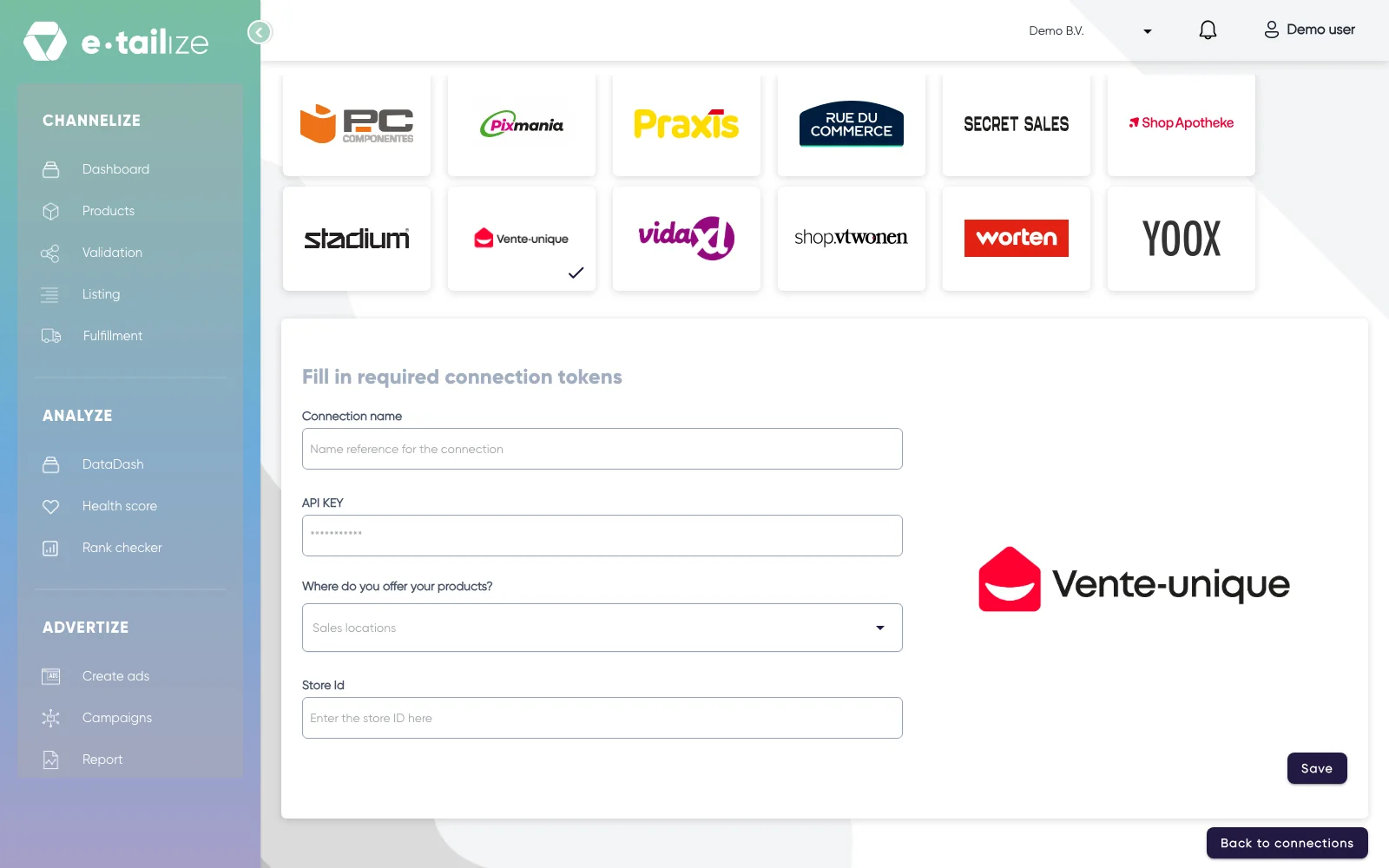
The wizard for Vente-unique: "Fill in required connection tokens" with the fields of Vente-unique Fill in "Connection name", your own reference for this connection.
Paste the value into "API KEY". The field is masked, so you see dots instead of what you pasted.
Pick the country you sell in under "Where do you offer your products?". The list holds "France", "Italy", "Spain", "Belgium (Dutch)", "Belgium (French)", "The Netherlands", "Germany", "Portugal", "Poland" and "Switzerland".
Fill in "Store Id".
Click "Save".
Click "Validation" in the left sidebar, pick the Vente-unique tile and click "Add missing PIM tabs" on every category you sell there.
Fill the mandatory Vente-unique fields on those tabs and click "Validate products". Get a product live walks through that screen step by step.
Click "Listing", pick the Vente-unique tile, select your validated products and click "List content". Click "List offers" once the content is through.
What happens next
You run your own store on the marketplace: your own catalogue, your prices, your stock and your lead times. Customers order on their platform, you prepare and ship, and the payment follows automatically. You keep the customer contact and the after sales until the legal warranty period ends. Vente-unique asks for stock that is up to date, sizes and colours grouped together, and short delivery times.
The connection appears on the "API connections" page and as a card under "Existing connections" on the dashboard, and it starts feeding your dashboard, your orders and your stock. Orders from Vente-unique come in under "Fulfillment" and then "Orders", with the same "Open", "Processing" and "Closed" filters as your other channels.
Common problems
A connection that saves and then moves nothing usually comes down to a key that was revoked or copied wrong, a Store Id from another store, or a country that does not match your store. On content, Vente-unique wants its visual charter and labels respected, home products in its own categories, tracking links your customer can really click, and customer service in French.
FAQ
Do you need an API key to connect Vente-unique?
Yes. You need one API key from Vente-unique.
Which countries do we connect Vente-unique for?
We connect Vente-unique for France, Italy, Spain, Belgium, the Netherlands, Germany, Portugal, Poland and Switzerland.
Where do orders from Vente-unique arrive in e-tailize?
Orders from Vente-unique come in under "Fulfillment" and then "Orders", with the same "Open", "Processing" and "Closed" filters as your other channels.
Related
Was this useful?