On this page
Before you start
Leen Bakker is a retailer for home and interior with webshops in the Netherlands and Belgium, and its selling partners sell through the Mirakl platform. You need an approved partner account before you can connect, so apply as a new selling partner first. Price, product information, delivery and service stay with you: Leen Bakker supplies the shop and the traffic, you carry the promise to the shopper.
Apply yourself, they review. Stuck? Expansion does it for you.
Leen Bakker runs on Mirakl, the software behind most retailer marketplaces we connect, so the wizard looks the same as for every other Mirakl marketplace. You need one API key from Leen Bakker.
We connect Leen Bakker for the Netherlands and Belgium.
Steps
Create the API key in the seller back office of Leen Bakker and copy it in full. Your Store Id sits in that same account. Pick the sales location that matches the seller account the key belongs to, because the connection writes Dutch content for "The Netherlands" and "Belgium (Dutch)" and French content for "Belgium (French)". One tile carries all three sales locations, and it is labelled "Leen bakker" in the grid.
Open "Settings" in the left sidebar and click "Connections".
Click "New connection", or open the marketplace wizard directly.
Pick "Marketplace" in the chooser and click the Leen Bakker logo under "Connect marketplace provider".
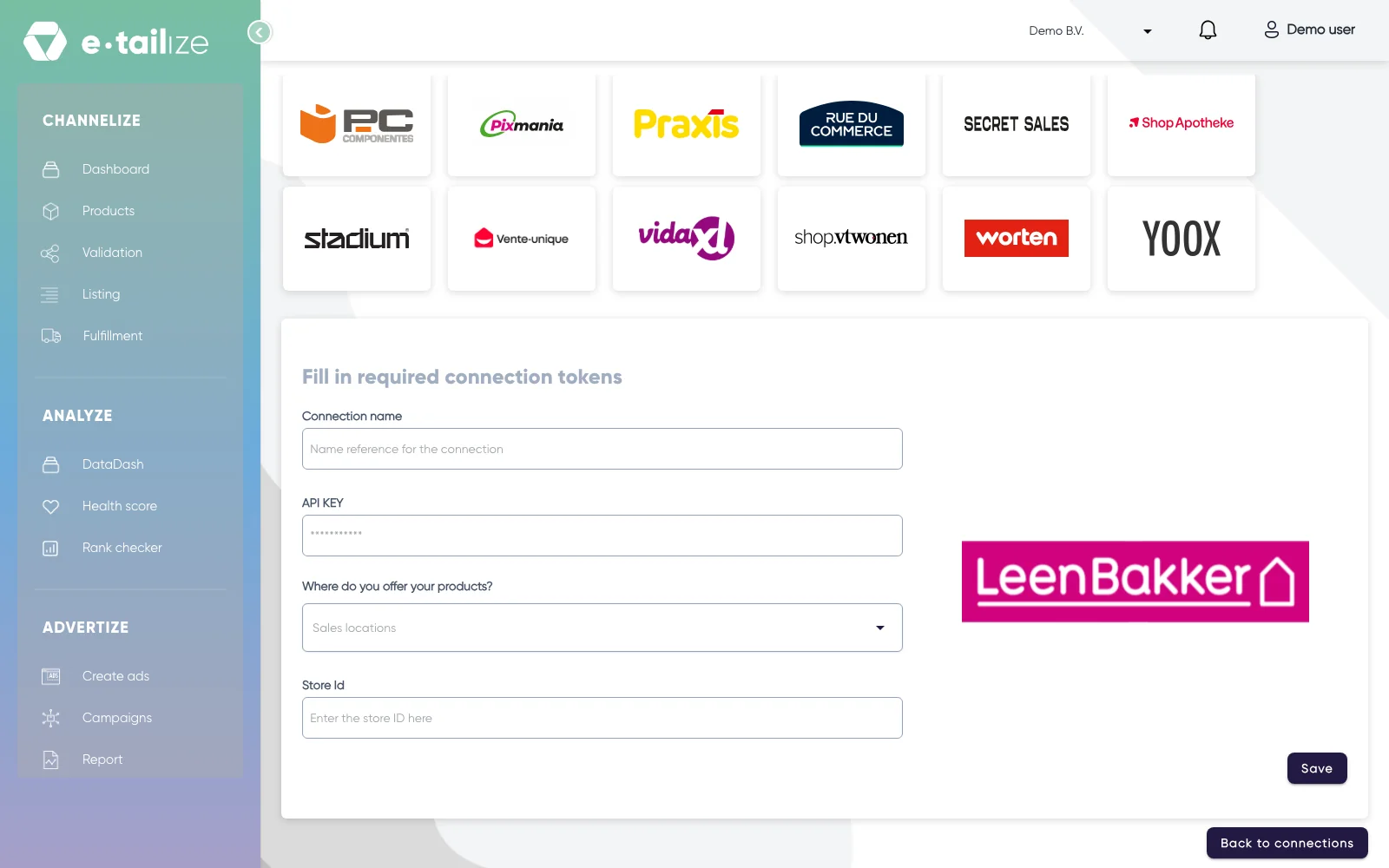
The wizard for Leen Bakker: "Fill in required connection tokens" with the fields of Leen Bakker Fill in "Connection name", your own reference for this connection.
Paste the value into "API KEY". The field is masked, so you see dots instead of what you pasted.
Pick the country you sell in under "Where do you offer your products?". The list holds "The Netherlands", "Belgium (Dutch)" and "Belgium (French)".
Fill in "Store Id".
Click "Save".
Click "Validation" in the left sidebar, pick the Leen Bakker tile and click "Add missing PIM tabs" on every category you sell there.
Fill the mandatory Leen Bakker fields on those tabs and click "Validate products". Get a product live walks through that screen step by step.
Click "Listing", pick the Leen Bakker tile, select your validated products and click "List content". Click "List offers" once the content is through.
What happens next
Orders and customer questions land in your own partner shop on Mirakl and in e-tailize. You ship with your own carrier under your own terms, and the delivery time is shown per seller at checkout. Returns come straight back to you within thirty days and never to a Leen Bakker store, so arrange the return route for bulky items before you list them.
The connection appears on the "API connections" page and as a card under "Existing connections" on the dashboard, and it starts feeding your dashboard, your orders and your stock. Orders from Leen Bakker come in under "Fulfillment" and then "Orders", with the same "Open", "Processing" and "Closed" filters as your other channels.
Common problems
One wrong EAN stops the whole offer push before it reaches Leen Bakker: that product comes back with "Invalid product id. Please make sure to supply a valid EAN." Correct it and push again. Leen Bakker also asks for a unique title per product, and for a large square main image on a white background, without a logo or a watermark. The exact size and resolution are in the seller guideline of Leen Bakker.
Leen Bakker enforces limits on content: a title is at most 65 characters.
FAQ
Do you need an API key to connect Leen Bakker?
Yes. You need one API key from Leen Bakker.
Which countries do we connect Leen Bakker for?
We connect Leen Bakker for the Netherlands and Belgium.
Where do orders from Leen Bakker arrive in e-tailize?
Orders from Leen Bakker come in under "Fulfillment" and then "Orders", with the same "Open", "Processing" and "Closed" filters as your other channels.
Related
Was this useful?