On this page
Before you start
Cdiscount does not run on Mirakl. It runs on Octopia, the marketplace platform of Cdiscount, so the app names the tile "Cdiscount (Octopia)" and the wizard asks for Octopia credentials. There is no API key, no store id and no country to pick, because this connector has one destination: Cdiscount in France.
Have three values ready from your Cdiscount and Octopia seller onboarding, not from a Mirakl back office: a client id, a client secret and a seller id. All three are required, so the wizard does not save without them. e-tailize fills in the rest of the Octopia settings itself.
Steps
Open "Settings" in the left sidebar and click "Connections". The "API connections" page opens with everything you connected so far.
Click "New connection" and pick "Marketplace" in the chooser, next to "Shipping", "WMS" and "CMS".
Find "Cdiscount (Octopia)" in the logo grid on "Connect marketplace provider" and click its logo. The "Filter" box matches on the start of the connector name, so type Cdiscount there, not Octopia.
Fill in "Connection name" under "Fill in required connection tokens". This is your own reference, the name you see back in the list and on your connection cards.
Fill in "Client Id".
Paste your secret into "Client Secret". The field is masked, so you see dots instead of the value you pasted.
Fill in "Seller Id".
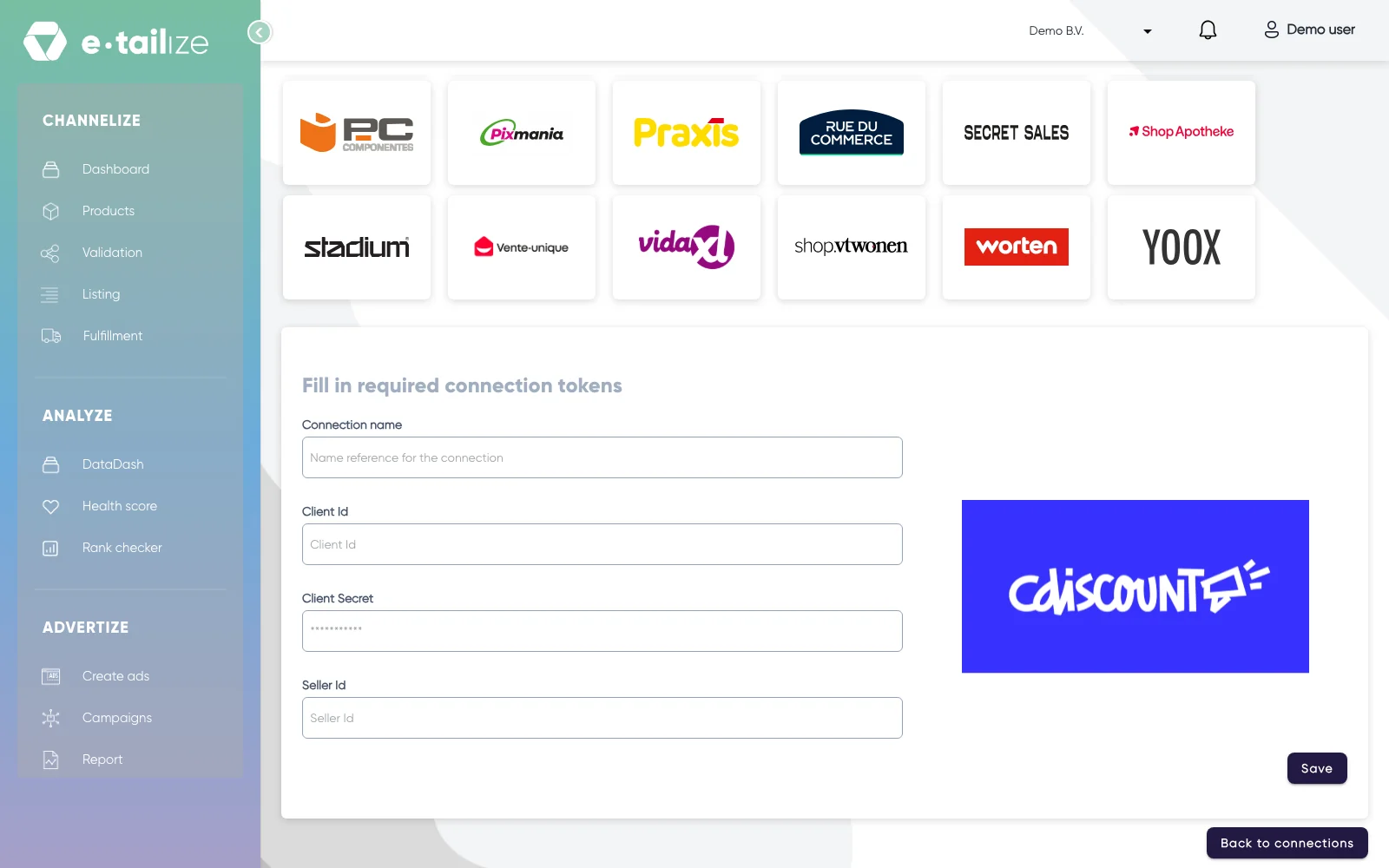
The Cdiscount form with "Connection name", "Client Id", "Client Secret" and "Seller Id" above the button "Save" Click "Save". e-tailize shows "Please wait while we verify the entered credentials." and then "Save successful".
What happens next
The connection appears on the "API connections" page and as a card under "Existing connections" on the dashboard. From there it feeds your dashboard figures, and your Cdiscount orders and stock run along the routes you set under "Fulfillment".
Your products still need a Cdiscount tab, a validation and a listing before anything is for sale. See Get a product live. Octopia takes content and offers in two steps, which Sell on Cdiscount walks through.
Common problems
Saving an empty form gives "Connection name is required" and "Secret or Api key is a required field" in one notification at the bottom right of the screen, and "The value provided was not of the correct format" under "Client Id", "Client Secret" and "Seller Id". All three credential fields are required, so none of them can stay empty.
The "Filter" box finds nothing when you type Octopia. The filter matches the start of the connector name and this one is filed under Cdiscount, so type that instead.
Are your offers no longer updating while the connection is still on the "API connections" page? Then check two things. A client secret that was rotated or revoked at Octopia means we can no longer get a token: renew the credentials at Octopia and save them into the connection again, see Edit, resave or delete a connection. Are the credentials unchanged and is the connection still active, then contact support with the connection name and the time you last saw an update, and we pick it up from there. Never send a client secret to us through the chat.
FAQ
Is Cdiscount one of the Mirakl marketplaces?
No. Cdiscount runs on Octopia, its own marketplace platform. Anything written for Mirakl, such as the Mirakl back office or invoice forwarding, does not apply here.
Where do I get the client id, client secret and seller id?
From your Cdiscount and Octopia seller onboarding. e-tailize cannot create them for you, and they are not the same as an API key from another marketplace.
Do I pick a country or a store id, like on other marketplaces?
No. The form has four fields and no dropdown, because this connector has a single destination. The Mirakl marketplaces do ask for a store id, see Connect a Mirakl marketplace.
Related
Was this useful?